OnlyFans AI Sexting With AI Closer — the Selling Layer on Top of AI Chatter
OnlyFans AI sexting means an AI holding a creator's flirty, adult conversations with fans and selling her content inside them. OF.ai's AI Closer — what searches call an AI sexter — does both: it writes in her voice, offers only approved photos and videos from her own vault, and prices each one inside a range she set. Any thread can be handed to a person at any moment.
AI Chatter is free on your account’s first model
No credit card. Add AI Closer only when you want the AI to sell.
How connecting works and why it is safe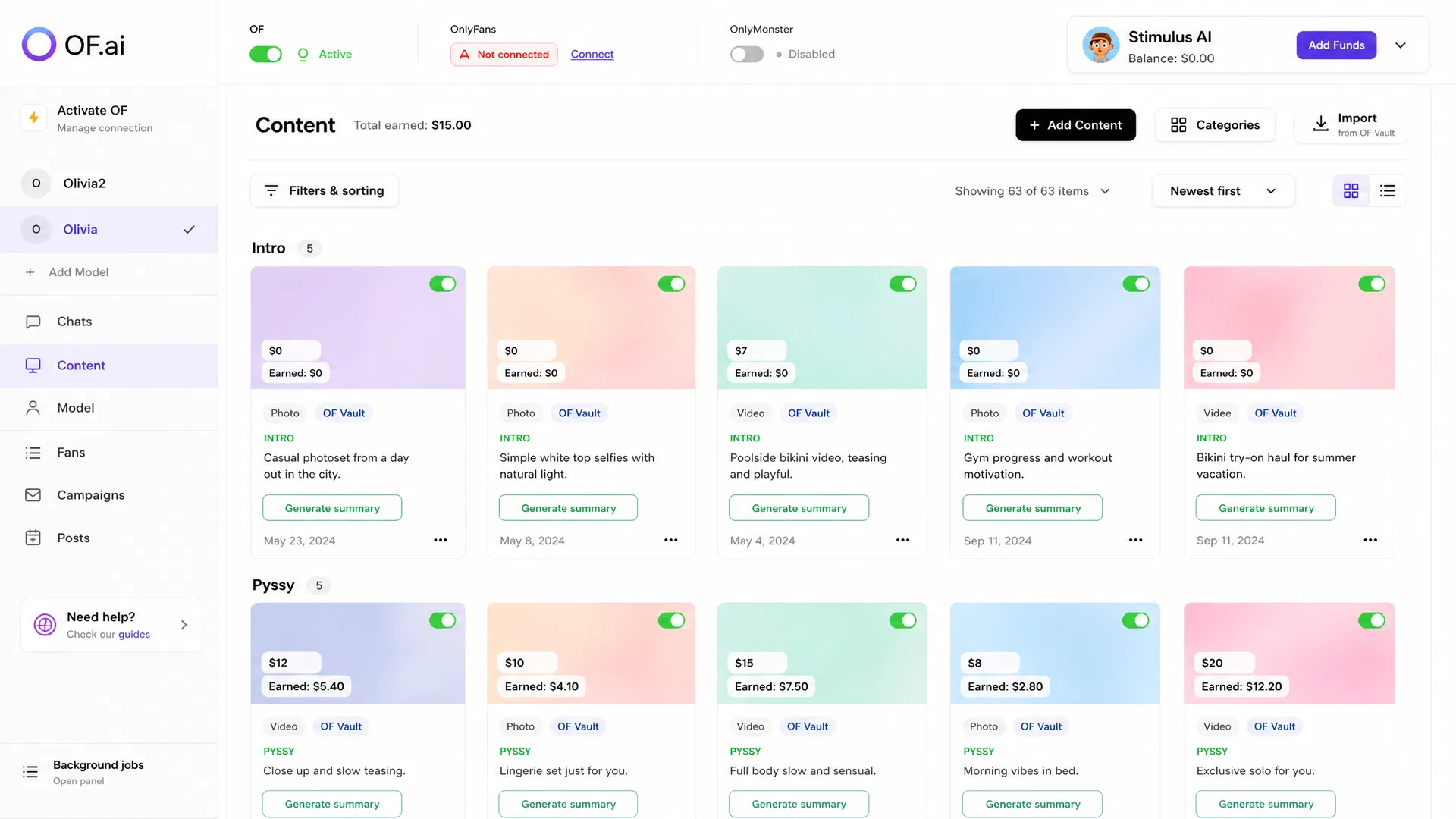
- Sends only approved photos and videos from the creator's content library
- Prices every item inside a floor and ceiling the creator set per category and file type
- Moves each fan through selling stages while a person can take the thread at any moment
- Runs Campaigns — OnlyFans mass messages with vault media and a price — which the free AI Chatter cannot
What AI Closer Is — and What AI Chatter Already Does
OF.ai runs one assistant in two modes: AI Chatter, which talks, and AI Closer, which also sells. AI Chatter is the conversation layer and is free forever on the first model of an account: persona, tone of voice, languages, memory of each fan, a per-fan switch and human takeover. AI Closer is the selling layer on top of it. It uses everything the Chatter uses and adds the three things that turn a conversation into a sale: access to the content library, a price on a message, and the stages that lead a fan toward an offer and keep him after it.
The line between the two is deliberate. Nothing about the conversation is paid, and nothing about selling is free. Every additional model on the account runs the AI only as AI Closer, and switching the AI on for such a model first shows a dialog with the current price and proceeds only when you confirm it. There is no free trial of AI Closer: the free Chatter on the first model is the free way in, and what selling costs, on two plans, is set out in the last section of this page.
How OnlyFans AI Sexting Makes a Sale, Step by Step
AI Closer makes a sale in six steps — stage, content library, price, send, payment on OnlyFans, keeping the fan — and a person can read or stop it at every step. The order below is the real order of operations in the product, not a marketing diagram.
- Stage. Every fan has a conversation stage kept beside his card and summary. A new subscriber is greeted; a warm thread moves toward interest; an interested fan gets an offer; a buyer is kept rather than dropped. The stage decides whether an offer is appropriate on this message at all.
- Content library. When the stage calls for an offer, the AI chooses from the creator's library — photos and videos that were imported from her OnlyFans vault or uploaded, categorised and described. It picks an item whose category fits where the conversation is; it never invents a file.
- Price. The category and the price are chosen together, and the price must fall inside the corridor the creator set for that category and that kind of file. The number the model proposes is then clamped by code to the same corridor, so the prompt is the hint and the code is what enforces it.
- Send. The message with the priced item goes out through the creator's own OnlyFans session, from the residential address that belongs to her account, exactly as if she had sent it.
- The fan pays — on OnlyFans. OF.ai holds no card and takes no payment from a fan. OnlyFans unlocks the item, and the purchase notification is what the platform records against that message.
- Keeping the fan. After a purchase the stage moves on, and the next messages are about keeping him, not selling him the same thing again.
Example: One Offer, From Flirting to Purchase
Illustrative example written for this page — not a real conversation, price or result. A creator has a Lingerie category with a photo corridor she set herself and a video corridor above it. A regular who bought nothing last month has been flirting for a few messages and asks what she is wearing.
AI Closer answers in her voice, teases rather than describes, and, because the stage has reached interest, offers one approved lingerie photo from her vault at a price between her floor and ceiling. The fan unlocks it on OnlyFans. The next message thanks him and asks about his weekend instead of offering a second file straight away. Had he written that money was tight, the operator could have switched the AI off for him and answered herself; had the vault held no approved lingerie photo, the AI would have kept flirting and offered nothing.
- What the AI chose: an approved file whose category fits the conversation
- What it could not choose: a price outside her corridor, or a file awaiting review
- What a person could do at every message: read it, switch the AI off for this fan, take over
Price Corridors: the Creator Decides the Range, the AI Picks Inside It
In AI Closer, what a file costs is the creator's decision: she sets a price corridor, and the AI chooses a price inside it. On the Categories screen in the cabinet she sets a floor and a ceiling for every category, separately for photos and for videos, because a twelve-minute video and a greeting photo in the same category are not the same item. That pair of numbers is the corridor. The AI is told the corridor when it drafts an offer, and whatever price comes back is clamped to it before anything is sent.
The corridor belongs to the account, not to the category. Most categories are shared across creators, so a range stored on the category itself would price one woman's vault from another woman's decision. Each creator's ranges are hers alone, and a range she has set outranks every built-in rule, including the one that makes an intro item free — a default that cannot be overridden is not a default.
There is one categories screen, reached from the content page and from the Categories dialog on My Content; both show the same ranges, so what she sets in one place is what the AI uses everywhere. A row reads “suggested” until she changes it, which is how she can tell her own decisions from the defaults at a glance.
- A floor and a ceiling per category, set separately for photos and videos
- Printed into the prompt and enforced in code on the way out — two layers, one range
- Stored per creator account, never on the shared category
- A creator's own range outranks every default, including “intro is free”
Default Prices and Page Tiers
AI Closer prices a category the creator has not set from a default band, not at random. OF.ai carries a default band per category name and per kind of file: an intro item is free in every format, soft content is cheap, a named act costs more, and a video is always priced above a photograph of the same thing. A custom category the table does not know gets a deliberately unambitious generic band rather than a guess.
One number in that table is not a judgement call. OnlyFans refuses a pay-per-view item priced under three dollars, so a band that dipped below that would not produce a cheap send — it would produce no send at all. Every paid default sits at or above that line at every page tier, so nothing below it is ever offered on your behalf.
The defaults are written for a newcomer page. A page tier — newcomer, mid or top — scales the whole default table at once, because a page with a few hundred fans and a page with tens of thousands sell the same acts at very different prices, and that difference is the whole ladder moving rather than anything per category. Changing the tier moves only what the creator has not decided herself; every corridor she set stays exactly where she put it. The starting bands themselves, category by category for photos and videos, are printed in the OnlyFans PPV pricing guide.
| Where the price comes from | Who decides | What the AI does |
|---|---|---|
| Corridor set on the Categories screen | The creator, per category and file type | Proposes inside it; the code clamps to it |
| Default band for an untouched category | OF.ai's per-category table, scaled by the page tier | Aims at the band; the floor for paid items is OnlyFans' own minimum |
| Page tier (newcomer, mid, top) | The creator or her agency, once per account | Prices every untouched category from the scaled table |
| A file whose type (photo or video) is not known | Nobody — no corridor or default applies | Gets only a general price hint, never a photo rule applied to a video; check such files before selling |
AI Chatter vs AI Closer: Which One Sells?
Only AI Closer sells; AI Chatter talks and stops there. Both write from the same persona, fan memory and stages, so a model moved from one to the other keeps her voice — what changes is whether the AI may attach a priced file, run a campaign and lead a fan toward an offer.
| Workflow | AI Chatter | AI Closer |
|---|---|---|
| Conversation and replies | Yes | Yes |
| Persona, tone of voice and fan memory | Yes | Yes |
| Per-fan switch and human takeover | Yes | Yes |
| Photos and videos from the content library | No selling workflow | Yes |
| Priced offers inside the creator's corridor | No | Yes |
| Selling stages: interest, offer, keeping the fan | No | Yes |
| Campaigns (OnlyFans mass messages) | No — the tab is locked | Yes |
| Price | Free on the first model | On the pricing page |
What the Operator Sees and Can Override
Every message AI Closer writes is readable in the chat workspace, before and after it goes out, next to the fan's card, his summary and the stage he is at. An operator can see which item was offered and at what price, and can read why the conversation got there. Nothing the AI does in a thread is hidden from the person responsible for the account.
The overrides are the same ones the free Chatter has, plus the commercial ones. AI replies are switched on or off per fan, so a thread that needs judgement stays with a person while the rest keep running. Any conversation can be taken over in one click: the AI stops, the person answers, and it stays off for that fan until switched back, so handing a chat back to the AI is a deliberate step rather than a timeout. On the content side the operator edits the corridor, the category, the description and the tier; a change applies to the next offer, not retroactively to one already sent.
One override does not exist, on purpose. An added model runs the AI only as AI Closer — switching selling off there is refused, because the free seat belongs to the first model alone. The choice on such a model is AI on or AI off. On the first model selling can be switched off again, and the Chatter continues free.
- Read every AI message, the fan card, the summary and the stage, in full
- Switch the AI off for one fan; take any thread over in one click
- Edit corridors, categories, descriptions and the page tier at any time
- Boundaries, hard limits and the no-off-platform rule live in the persona and apply to every thread
Campaigns Run on AI Closer
A Campaign in OF.ai is an OnlyFans mass message to fans she chooses, and it belongs to AI Closer on either plan, Start or Pro. A fan unlocking a paid campaign message is an AI Closer sale and counts toward the plan's share of AI sales, like an offer made in a chat. A campaign is four choices — who gets it, what it says, what it attaches and when it goes — listed at the end of this section.
Saving, previewing, switching on and sending a campaign manually all first check that the model is on AI Closer and that selling is not held for an unpaid balance; a scheduled send that fails that check records a failed run with the reason instead of sending. Reading, switching off and deleting a campaign stay open to everybody, and the cabinet shows a lock on the Campaigns tab for a model that is on the free Chatter.
Two things are not gated, because they are the creator's own: a priced message she sends by hand, and a scheduled post. AI Closer governs what the AI sells, not what she sells.
- Who: the OnlyFans lists, groups or single fans she picks, optionally only those online when it sends
- What it says: her own words for everyone, or a fresh message the AI writes in her voice for each send
- What it attaches: photos and videos from her vault, free or at a pay-per-view price in whole dollars, from OnlyFans' own minimum up to one hundred
- When: now, once at a set time, or on a repeating schedule — with a send history showing each recipient's status
Content Trust: Only Approved Library Media Leaves the Platform
Every file in an OF.ai content library carries where it came from — an import from the creator's own OnlyFans vault or a manual upload — and a trust status. One check decides for every road a file can take — what the AI sees in the library, what it sends, what goes to the OnlyFans vault and what a campaign attaches — and only trusted imports, verified uploads or items a reviewer has let through can leave the platform. A file that needs review waits until a person approves it.
This is why AI Closer cannot be talked into sending something the account did not approve. The assistant chooses among items the gate will allow; it has no path to any other file.
- Source and trust status on every file, set at import or upload
- One decision point for inventory, sending, campaigns and the media relay
- Items awaiting review are visible to the AI as nothing at all
When Not to Turn AI Closer On
Leave AI Closer off while the library is empty or uncategorised: an assistant with nothing approved to offer will not invent a file, so switching selling on buys nothing, and on Pro it still costs a seat. Leave it off while the conversation still sounds wrong — a persona the operator is correcting daily is not ready to carry a price. And leave it off on an account where the creator wants to keep every sale as her own decision; the Chatter will talk, and she will sell.
Do not turn it on to find out whether the AI can sell at all. That question is answered on one model with a readable library, not on a roster.
- No approved, categorised content yet — there is nothing to price
- The persona is still being corrected every day
- The creator prefers to make every priced send herself
- The account's categories have no corridors and nobody has checked the defaults against her page
How to Pilot AI Closer on One Model — and What to Count
An AI Closer pilot starts on the one model whose Chatter you have already supervised and are no longer correcting, and its setup follows the order in the list below: library first, prices second, selling last.
Count things; do not estimate outcomes. Record how many offers the AI made and how many of them were bought, how many threads you took over and why, how many offers you would have priced differently, how many corridor edits you made after seeing a real offer, and how many files the gate held back for review. Compare each number with how the same fans were handled before, by the same team, over the same length of time.
The decision rule should be written down before the pilot starts: which counts would justify switching the next model on, and which would stop the test. A single bad offer is a reason to adjust a corridor, not to abandon the pilot; a week of offers nobody buys at the ceiling is a reason to revisit the tier.
- Import her OnlyFans vault or upload the library, let the descriptions run, and open the files waiting for review — until one is approved the AI cannot see it
- On the Categories screen, set a photo and a video corridor for every category she sells; read the suggested bands for the rest rather than leaving them unread
- Pick the page tier honestly — newcomer, mid or top — because it moves every band she has not set herself
- Switch the model to AI Closer: the dialog shows the price before anything changes; Start costs nothing in a month without AI sales, which keeps a pilot's downside to the time spent reading it
- Keep the fans she sells to herself on manual and read every offer the AI makes in the first days
AI Closer, a Human Chatter or an Agency: Where to Compare Before Paying
AI Closer is one of three ways to sell in OnlyFans chats; the other two are a human chatter paid by the hour or by commission and an agency that takes a share of the page. Those are different purchases with different costs and different control points, and each one has its own page here so the comparison is made on the same terms rather than on a vendor's summary.
Start with what a person in the same seat costs: what an OnlyFans chatter costs sets out the pay models and the hidden work around them, and AI vs human OnlyFans chatter compares the two workflows on coverage, review, takeovers and context. Then put your own numbers in the chatter workload and cost calculator instead of trusting anybody's average. If the alternative on the table is another tool, the comparison hub lists every side-by-side page, and the current prices of both plans are in the next section.
- A human chatter: pay model, shifts and the review work around them
- An agency: a share of the page in exchange for the whole operation
- AI Closer: a share of each sale the AI made, plus a seat per model only on Pro — the creator keeps every sale she makes herself
What AI Closer Costs and What Happens When the Balance Runs Out
AI Closer has two plans. Start has no monthly fee and takes a larger share of each sale the AI made; Pro is a seat per model running it plus a smaller share. The share is charged per sale rather than per month because it grows with every purchase. Sales your own team makes are not shared, and a sale the platform did not see is not billed. The current figures are printed on the pricing page with both live plans from the same configuration that bills them, so they are never typed into a page like this one.
Choosing between the two is arithmetic on your own counts, not a judgement about the AI. Start is the plan with no downside in a month the AI sells nothing, so it fits a pilot and a model whose AI sales are still small or uneven; Pro starts to pay once the AI's sales on that model are steady enough that the smaller share saves more than the seat costs. Switching to Pro charges the month at once and needs a balance that covers it.
If the balance goes below zero past a small allowance, selling is held rather than the whole assistant going quiet: an AI Closer model in debt keeps answering fans exactly as the free Chatter would and sells nothing until the top-up lands, at which point selling returns by itself. The cabinet shows the amount that resumes selling, not the amount that returns the balance to zero; the methods available are shown on the top-up screen, and the billing answers in the FAQ cover the rest.
FAQ
What is an OnlyFans AI Closer?
In OF.ai, AI Closer is the selling layer on top of the free AI Chatter. It offers approved photos and videos from the creator's content library at a price inside a range she set, moves each fan through selling stages, runs campaigns and keeps a person able to read and take over every thread.
How does the AI decide what to charge?
The creator sets a floor and a ceiling per category, separately for photos and videos, on the Categories screen. The AI chooses a category and a price together, aiming inside that corridor, and the price is then clamped to the corridor in code before the message goes out. A category she has not touched gets OF.ai's default band for that category and file type, scaled by the page tier.
Can the AI offer something for less than OnlyFans allows?
No. OnlyFans refuses a pay-per-view item priced under three dollars, and every paid default in OF.ai sits at or above that line at every page tier. Nothing below that minimum is ever offered on your behalf, and a corridor the creator sets is where she decides everything above it.
What are the newcomer, mid and top tiers?
A page tier scales the whole default price table at once, because a small page and a very large one sell the same acts at different prices. It moves only the categories the creator has not set a corridor for; her own ranges stay exactly as she set them.
Does AI Closer generate the creator's photos or videos?
No. It chooses from the creator's own library — vault imports and uploads that were categorised and described — and only items that passed the content-trust check can leave the platform. It has no path to any other file, and it never generates or edits a photo or a video.
Who takes the fan's payment?
OnlyFans does. The priced message is sent through the creator's own OnlyFans session, the fan unlocks it on OnlyFans, and OF.ai records the purchase against that message. OF.ai never holds a fan's card.
Can an operator take over a fan in the middle of a sale?
Yes. Any thread can be taken over in one click, at any stage including an offer, and the AI stays off for that fan until it is switched back on; AI replies can also be switched off per fan in advance. Every AI message is readable in full, with the fan's card, summary and stage beside it.
Which campaign actions need AI Closer?
Saving, previewing, switching on and sending a campaign — an OnlyFans mass message with photos or videos from her vault and an optional price for fans — require the model to be on AI Closer, on Start or Pro, because a campaign is a selling action. Reading, switching off and deleting a campaign stay open on every model, including one on the free Chatter.
Is AI Closer free on the first model like the Chatter?
No, but it can run with no monthly fee. The free AI Chatter covers the first model of an account and there is no free trial of selling; AI Closer Start charges no monthly fee, only a share of each sale the AI made, while Pro adds a monthly fee per model for a smaller share. Every additional model runs the AI only as AI Closer. Both plans are on the pricing page.
Can I use ChatGPT for OnlyFans sexting and PPV sales?
ChatGPT can write a flirty line, but it cannot see an OnlyFans inbox, the creator's vault or her prices, and it cannot attach or price a file, so a person still does every send by hand. AI Closer works inside the creator's own OnlyFans session: it picks an approved file from her library, prices it inside the range she set for that category, and sends it in the thread, with a person able to take over.
Is an OnlyFans sexting bot the same as AI Closer?
No. A scripted sexting bot sends prewritten lines or the same paid message to everyone. AI Closer writes each reply in the creator's persona, uses what it remembers about that fan and the conversation stage, and offers only her approved photos and videos at prices inside her own floor and ceiling. Any chat can be switched to a person, and no model is trained on the conversations.
Which languages can AI Closer sell in?
AI Closer answers fans only in the languages the creator says she speaks, set in her profile, so it never sells in a language she could not continue herself after a takeover. The OF.ai interface itself is available in eleven languages; the names AI Chatter and AI Closer stay the same in all of them.
Should I enable AI Closer immediately?
Not before the Chatter sounds right and the library is categorised and described. Pilot it on one model with corridors set, selling on for a slice of fans, and count offers made, offers bought, takeovers and corridor edits against your own baseline before switching on the next model.
Does AI Closer write in the creator's own sexting style?
Yes. It writes from the same persona and Tone of Voice as the AI Chatter: who she is, her spicy side, how she types, the emojis and words she uses, and the topics and limits she has ruled out. Those boundaries are part of the persona, so a request she would refuse is refused by the AI too.
Is AI sexting allowed on OnlyFans?
OnlyFans' Terms of Use, as read in October 2026, do not mention AI-written messages either way, and they hold the creator responsible for everything her account sends. That is why every AI Closer message is readable by the operator and any thread can be taken over. Read the current terms yourself; this is not legal advice.
What happens to the revenue share when I switch between Start and Pro?
Switching to Pro charges the month at once and needs a balance that covers it; from then on the AI's sales on that model take Pro's smaller share. Sales in a month already paid on Pro keep the smaller share even after a switch back to Start, where there is no monthly fee and a larger share of each sale the AI made. The current amounts are on the pricing page.
How does OF.ai tell an AI sale from the creator's own?
By the message. The share is charged only on a sale the AI made — a priced message the AI itself sent, in a chat or in a Campaign, that a fan then unlocked. The creator's own priced messages and her team's are hers, and a purchase OF.ai cannot match to a message the AI sent is never billed.
Does AI Closer sell custom videos or bundles?
No. AI Closer offers single photos and videos that already exist in the creator's approved library, one file per offer, at a price inside her range for that category. A fan who asks for a custom is not promised one; the request stays with the creator, who can take the thread over and price the custom herself.
AI Chatter for OnlyFans.
Start free. Stay free.
Let AI chat with your fans 24/7 using your persona and tone of voice. Keep human control and upgrade only when you want AI selling. Free on the first model of your account; additional models use AI Closer.