OnlyFans AI Chatter Tools in 2026: What Each Vendor Says It Does
Most pages ranking for this question are directory listicles: a dozen logos, a score out of ten and an affiliate link, with no way to check where any line came from. This roundup works the other way round. Every statement about another product below is taken from that vendor's own website, carries the date it was captured and links to the page it came from; anything we could not read there is marked "check their current site" instead of being guessed. There are no ratings, no scores and no overall winner, because which tool fits depends on who sends the replies in your operation, and that is a decision only you can make. Page checked on 2026-10-19; vendor facts come from our captures of the vendors' own pages dated 2026-09-10 (Supercreator, Infloww, Desirely) and 2026-09-13 (Fanovate). Products change faster than articles, so re-read each vendor's site before you buy — this page tells you what to look for when you do.
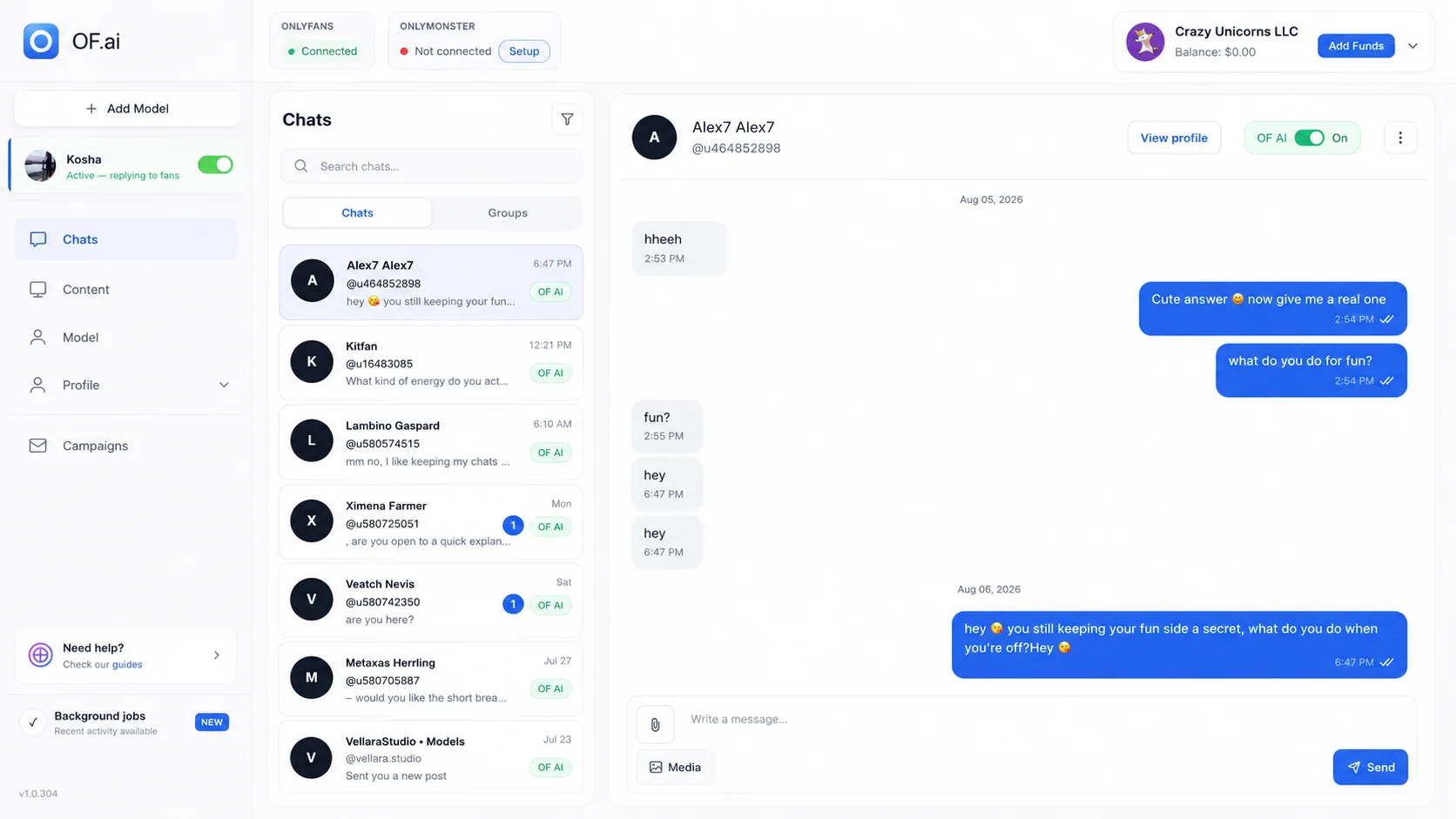
- Five products, each described only from its own website, with the capture date and source link
- No ratings, no scores and no prices copied from directories
- A five-point checklist: control, context, content handling, pricing model and account safety
- A pilot plan you can run on one model with any of these tools
How We Built This Roundup
We read each vendor's own pricing page, product page and, where one exists, help center, and saved what they said with the date. Those captures sit beside our dedicated comparison pages, and the facts on this page are limited to what they contain. A vendor's marketing numbers — revenue lifts, creator counts, message volumes, conversion claims — are not repeated here as facts, because we cannot check them and neither can you.
We also do not copy prices. Every vendor below publishes its own, prices move, and a number in a roundup is the first thing to go stale. Instead we describe the pricing model — per account, per creator profile, per agency plan, a share of AI sales or not — because that is what decides your bill as the roster grows, and it changes far less often than the figures themselves.
Other AI chatter tools exist and appear in other lists. We include a product only once we have read its own site and saved a dated capture; until then, check those tools on their own sites rather than trusting a listing — including this one.
How to Choose an OnlyFans AI Chatter Tool
"AI chatter" covers three very different products. Some draft a suggestion that a human chatter edits and sends. Some run a conversation themselves under rules the creator or agency sets, with a person watching and stepping in. Some are a full agency CRM in which AI is one feature among many. Decide which of those you are buying before comparing feature lists, then look at five things.
- Control — who presses send most of the time, whether the AI can be switched off for one fan, and whether a person can take over a live conversation mid-thread and see everything that was said
- Context — whether the AI remembers each fan and the thread so far, what the vendor calls notes, briefings or fan cards, and whether that memory survives a change of chatter or shift
- Content handling — how a photo or video becomes something the AI is allowed to send, who sets its price, and whether anything stops unapproved media from leaving the vault
- Pricing model — per account, per creator profile or per agency plan; a flat fee, a share of AI-attributed sales, or both; and what is included before usage charges start
- Account safety and egress — which network address each OnlyFans account's traffic leaves from, whether accounts share one, and what the vendor says about how its software connects to OnlyFans
The Tools, One by One
Each line below is what the vendor's own pages said on the capture date shown. It is a summary of their description, not a test result, and it is not a claim that a feature is missing when our capture simply did not mention it.
| Tool | What its own pages describe | Captured | Source |
|---|---|---|---|
| OF.ai | Supervised AI that answers fans in the creator's voice through configurable conversation stages; a content library whose files must be trusted before they can be sent; per-fan AI switch and human takeover; one residential address per OnlyFans account. AI Chatter (conversation) is free on the first model; AI Sexter (selling) is paid. | This site, 2026-10-19 | https://only-fans.ai/pricing |
| Supercreator | A multi-account desktop app with fan CRM, permission management, analytics, message and pricing copilots, and an AI agent called Izzy; describes monitoring, handoff and guardrails around AI use. | 2026-09-10 | https://www.supercreator.app/pricing · https://help.supercreator.app/en/articles/11993412-ai-pricing |
| Infloww | A multi-platform management product (OnlyFans and Fansly) with a multi-creator inbox, smart lists, Vault Pro, built-in proxies, a sensitive-word blocker and an AI Copilot in beta that suggests replies; its help center advises double-checking generated messages before sending. | 2026-09-10 | https://infloww.com/pricing · https://help.infloww.com/en/articles/262040-getting-started-with-ai-copilot |
| Desirely | An AI chatbot for OnlyFans, MYM, Reveal and Uncove connected through a Chrome extension; describes human takeover at any time, smart follow-up, Telegram alerts, fan notes and PPV workflows. | 2026-09-10 | https://www.desirely.co/en/pricing · https://www.desirely.co/en/onlyfans-ai-chatbot |
| Fanovate | An agency operating stack — unified inbox, AI-assisted chatting, voice cloning, translation, mass DMs, fan briefings, PPV tracking, Smart Vault — described as co-pilot, not auto-pilot: the chatter sees the suggestion and decides what to send. | 2026-09-13 | https://fanovate.io/ · https://fanovate.io/#pricing |
Comparison Table: What Each Vendor Documents
The cells below say what each vendor's own pages documented on the capture date. "Check their current site" means our capture did not cover the point — not that the product lacks it.
| Capability | OF.ai | Supercreator | Infloww | Desirely | Fanovate |
|---|---|---|---|---|---|
| Role of the AI | Answers fans itself under stage rules, supervised | Copilots plus an AI agent (Izzy) | Copilot (beta) that suggests replies | AI chatbot with human takeover | Co-pilot; the chatter decides what to send |
| Human takeover or review | Per-fan AI switch and takeover mid-thread | Monitoring, handoff and guardrails described | Advises checking messages before sending | Takeover at any time described | Chatters can write manually |
| Fan context | Memory of each fan and the thread | Fan CRM | Chat history, smart lists, PPV status | Fan notes | Fan briefings |
| Content handling | Trust-gated library; price ranges set per category | Content tools in the CRM | Vault Pro | PPV and script sales workflows | Smart Vault, PPV tracking |
| Platforms | OnlyFans | OnlyFans | OnlyFans and Fansly | OnlyFans, MYM, Reveal, Uncove | Check their current site |
| Network address per account | One residential address per OnlyFans account | Check their current site | Built-in proxies listed | Check their current site | Check their current site |
| Pricing model | Free AI Chatter on the first model; AI Sexter fee plus a commission per AI sale | Per account per month, varying by earnings tier; the AI plan adds a share of AI net sales | Monthly per creator profile; AI credits charged per generation | Per connected account; tiers including a free one, plus commission on AI-generated sales | Agency plans by number of creators; custom top tier |
| Prices published on own site | Yes — the pricing page | Yes | Yes | Yes | Yes |
Where OF.ai Fits — and Where It May Not
OF.ai is built for a creator or agency that wants the AI to carry routine fan conversations itself, inside rules, with a person able to see and take over any thread. The conversation is split into stages, each with its own instructions; the creator's persona, languages and tone are configured per model; the AI remembers each fan; and a per-fan switch turns it off for one conversation without touching the rest. AI Chatter — the conversation without selling — is free on the first model of an account, so you can judge how the AI talks before paying for anything.
Selling is AI Sexter. It sends approved photos and videos from the content library at prices inside the range the creator set for each category, and a file must be trusted before it can leave the platform at all. Every OnlyFans account's traffic leaves through its own residential address rather than a shared one. Prompt changes are versioned and can be compared against production in a test lab before they are published. The current price is on the pricing page, generated from the same configuration that bills it, which is why it is not repeated here.
It may not be the right fit if your operation is built around a large human chatter team and you want a workforce CRM first — shift scheduling, chatter performance dashboards, payroll — with AI as a drafting aid. It is also OnlyFans only: if your roster spans several creator platforms, a multi-platform product will cover ground OF.ai does not. And if you want every message typed or approved by a person before it goes out, a copilot that only suggests replies matches that rule more directly than a supervised AI that answers by itself.
What to Check on Any Vendor's Site Before You Buy
- Who sends the message — the vendor's own description, in their words, of whether the AI sends or a person does
- What happens to a conversation the AI cannot handle — escalation, takeover, notification
- Where the creator's media goes and who decides what may be sent and at what price
- The full billing model for your actual roster — fees, usage, revenue share, included limits
- How the software connects to OnlyFans and which address each account's traffic uses
- What their terms say about responsibility for the account, and what OnlyFans' own terms say
How to Pilot Any of These Tools on One Model
Do not move a roster on the strength of a demo — including ours. Pick one model whose conversations you already understand, and write down the baseline before anything changes: who answers now, how long fans wait at the times you care about, how often a manager has to step in, how content is chosen and priced, and the sales numbers you already trust for that account.
Configure the candidate tool for that one model only. Set the persona, the rules and the content it may use, keep a person watching, and decide in advance what counts as a reply that needed correcting. Run it for a fixed window you choose, long enough to include the busy and quiet days of the week, and keep the old process available to fall back on.
At the end compare the same things you wrote down at the start: coverage, how many replies a person corrected, how often someone took over and why, operator time, and the outcome numbers for that account against its own history. A vendor's published averages are not your baseline. Expand to a second model only when the first one meets the bar you set before you started, and repeat the same test on any other tool on your shortlist so the comparison is like for like.
Dedicated Comparisons and Sources
Each vendor in this roundup has its own comparison page with a longer description, a verification date and links to the primary sources behind every factual line, including the prices we read on their sites. Use those when one name is already on your shortlist, and read the vendor's current pages again before you sign up.
Sources for this page: OF.ai — https://only-fans.ai/pricing (2026-10-19). Supercreator — https://www.supercreator.app/pricing, https://help.supercreator.app/en/articles/11960779-pricing-faq, https://help.supercreator.app/en/articles/11993412-ai-pricing, https://www.supercreator.app/onlyfans-crm (captured 2026-09-10). Infloww — https://infloww.com/pricing, https://infloww.com/, https://help.infloww.com/en/articles/262040-getting-started-with-ai-copilot, https://help.infloww.com/en/articles/262037-managing-ai-credits (captured 2026-09-10). Desirely — https://www.desirely.co/en/pricing, https://www.desirely.co/en/onlyfans-ai-chatbot, https://www.desirely.co/en/ (captured 2026-09-10). Fanovate — https://fanovate.io/, https://fanovate.io/#pricing (captured 2026-09-13).
FAQ
What is the best OnlyFans AI chatter tool in 2026?
There is no single answer, and this page does not pick one. A copilot that drafts replies for human chatters, a supervised AI that answers fans itself, and an agency CRM with AI features solve different problems. Decide who should send most replies in your operation, shortlist the tools built for that, and pilot them on one model.
Why are there no ratings or scores on this page?
Because a score would be our opinion dressed as a measurement. Every vendor line here is what that vendor says on its own site, with the date and the link, so you can check it. How a tool performs on your account is something only a pilot on your account can tell you.
Why are competitor prices not listed here?
Prices change, and a number copied into a roundup goes stale without anyone noticing. Each vendor publishes its own prices, and our dedicated comparison pages quote the figures we read on each vendor's site with the date. This page describes the pricing model instead, which is what decides your bill as the roster grows.
What is the difference between an AI copilot and an AI chatter?
A copilot suggests a reply and a person edits and sends it. An AI chatter answers the fan itself, within rules, while a person watches and can take over. Some products offer both modes. Check each vendor's own description of who presses send, because that changes your staffing, your review process and your risk.
Is using an AI chatter allowed on OnlyFans?
Read OnlyFans' current terms of service yourself rather than relying on any vendor's summary, including ours, and ask each vendor how its software connects to OnlyFans. The creator remains responsible for her account and for what is sent from it, whichever tool is used.
What should I check about account safety?
Ask which network address each OnlyFans account's traffic leaves from and whether several accounts share one, how the tool signs in, and what happens to a session when a machine restarts. OF.ai gives each OnlyFans account its own residential address. No vendor controls OnlyFans' enforcement, so treat any promise of total safety with suspicion.
Is there a free OnlyFans AI chatter?
OF.ai's AI Chatter — the conversation, without selling — is free on the first model of an account; selling content is AI Sexter, which is paid. Some other vendors list free tiers on their own pricing pages; check what each one includes and what it charges on sales.
How long should a pilot run?
Long enough to cover the busy and quiet days of a normal week for that model, and decided before you start. Record the baseline first, keep a person watching, and compare corrections, takeovers, operator time and sales against that account's own history rather than against a vendor's averages.
Can I use more than one of these tools?
Usually not on the same conversations at once, because two systems answering one fan will contradict each other. Running different tools on different models during a pilot is a reasonable way to compare them like for like.
AI Chatter for OnlyFans.
Start free. Stay free.
Let AI chat with your fans 24/7 using your persona and tone of voice. Keep human control and upgrade only when you want AI selling. Free on the first model of your account; additional models use AI Sexter.