OnlyFans Automation: Automate the Repeatable, Keep the Decisions Visible
OnlyFans automation means handing an account's repeatable work — welcomes, follow-ups, content lookups, configured offers — to software while a person keeps control. OF.ai connects conversation stages, fan context, approved content, multi-model workspace controls and human takeover, so creators and agencies automate one bounded workflow at a time and expand only when the result is understandable.
- Choose a specific workflow before you automate it
- Keep persona, fan context, approved content, and offer rules visible
- Enable or disable AI per fan and take over a conversation when judgement matters
- Measure corrections, takeovers, review workload, and trusted commercial outcomes before expanding
Choose the Workflow Before You Choose the Automation
“Automate my OnlyFans” is too broad to be an operating instruction. A creator or agency actually has several different workflows: welcoming a new fan, answering repeatable questions, continuing a conversation, finding approved content, making a configured offer, following up in DMs, organizing fan groups, and supervising several models. Each has different context requirements and a different point where a person may need to step in.
Start by mapping one workflow from trigger to stop condition. Write down what starts it, which context is required, what the software may do, what it may not do, and which situations must become manual. That produces a testable automation scope instead of a promise that an entire inbox can run unattended; a creator working alone can follow the same order in using AI on OnlyFans step by step.
- Trigger — the event or conversation state that starts the workflow
- Required context — the fan, model, content, and conversation information needed to act
- Allowed action — reply, suggest content, use a configured offer, follow up, or route
- Stop rule — missing context, sensitive topic, unusual request, or another defined exception
- Human owner — who reviews, corrects, or takes over when the workflow stops
What OF.ai Brings Into the Automation Workflow
The useful part of an automation platform is not the number of features on a landing page. It is whether the information needed for a decision is available in the same operating flow. OF.ai keeps model-specific instructions, conversation stages, fan context, content records, and operator controls close to the chat so the generated reply is not detached from the rules the team is responsible for.
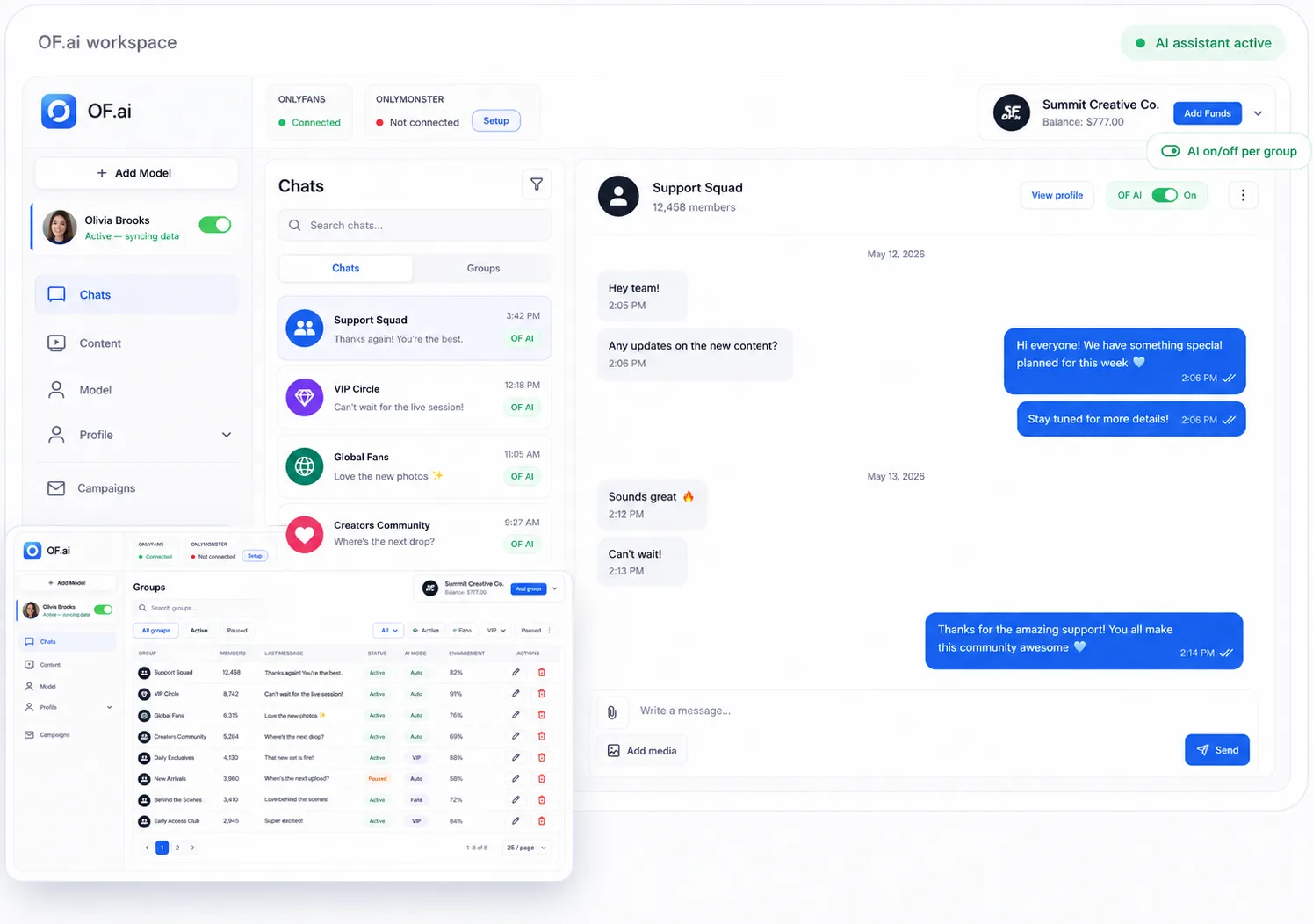
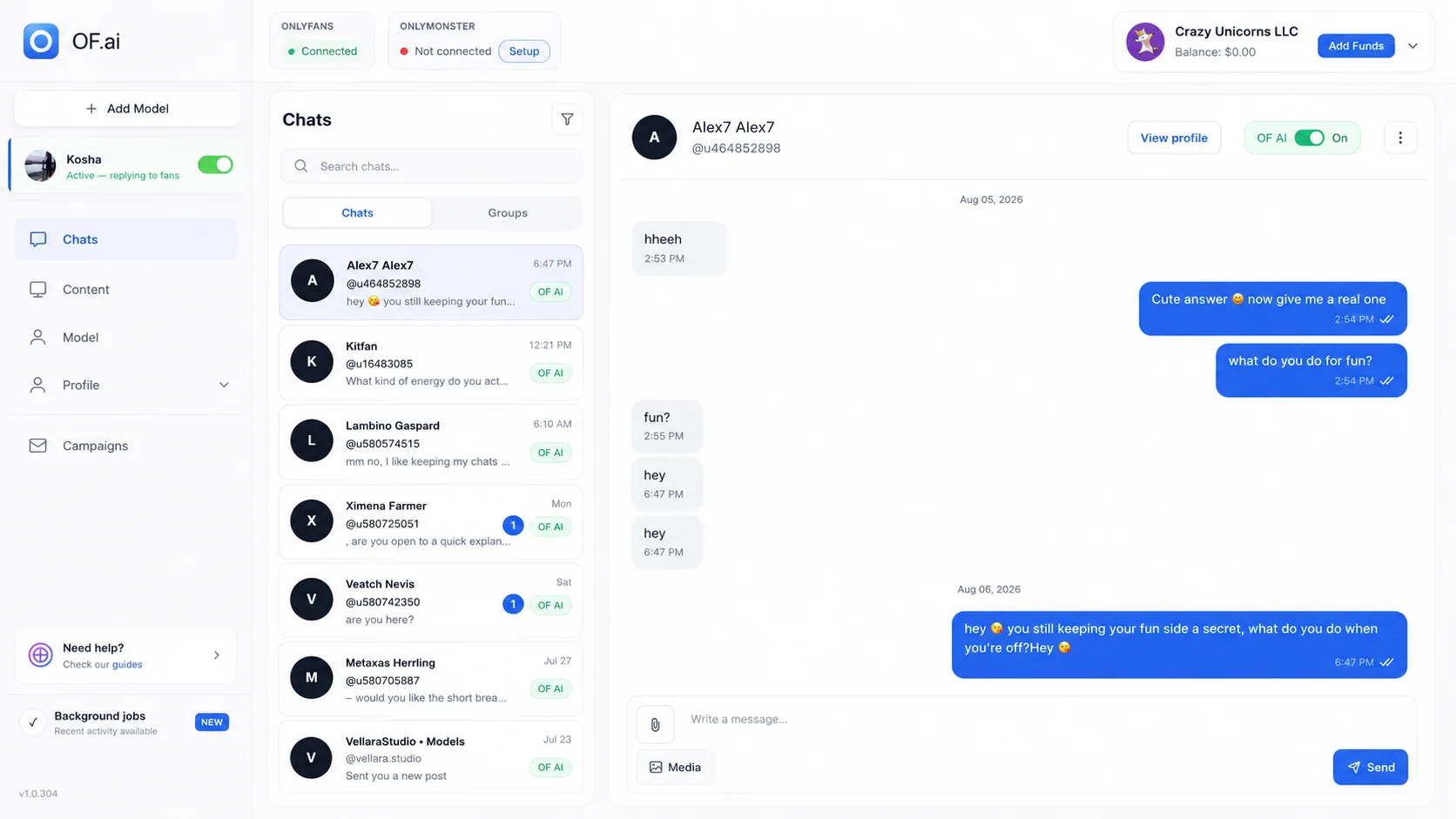
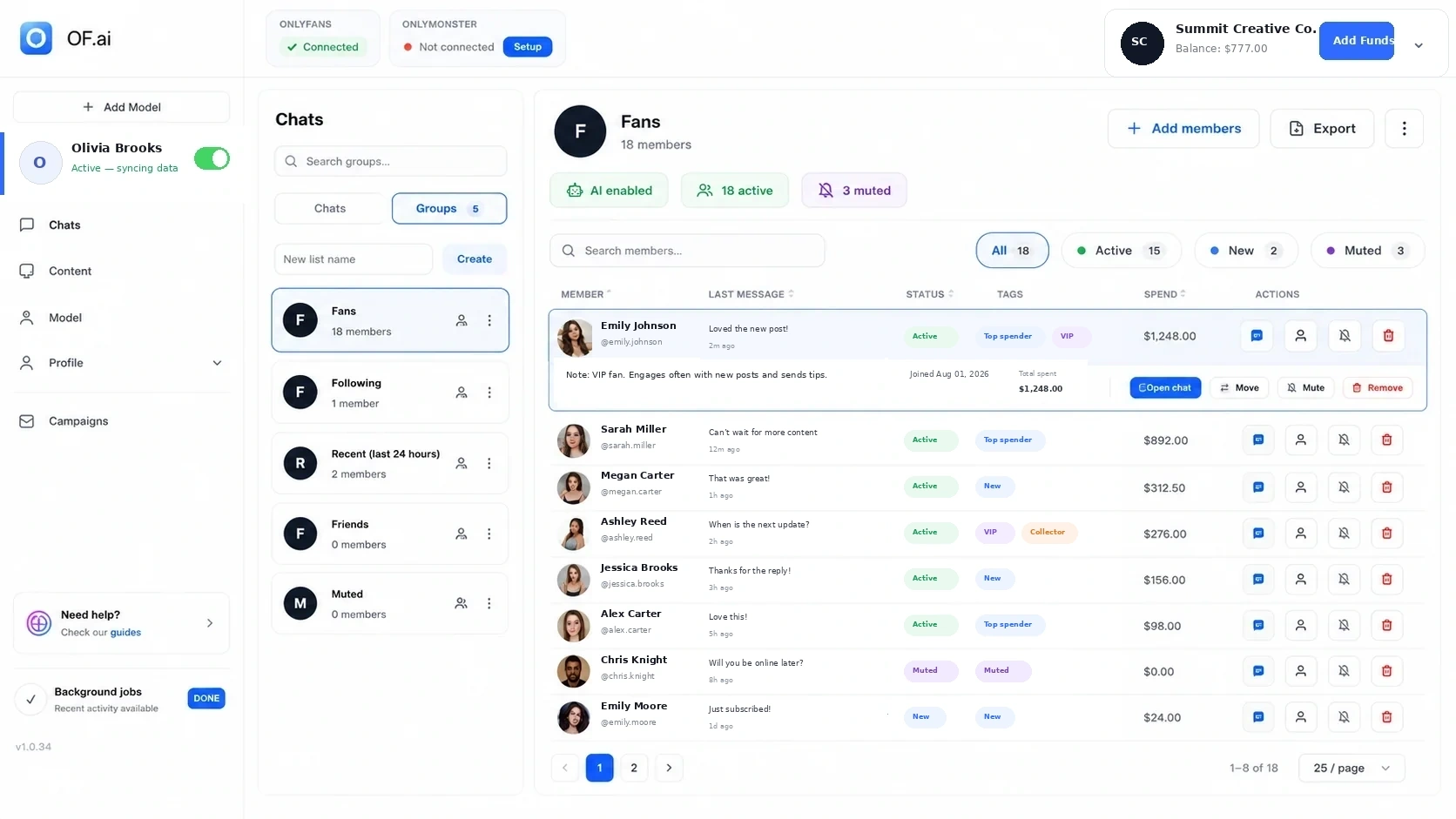
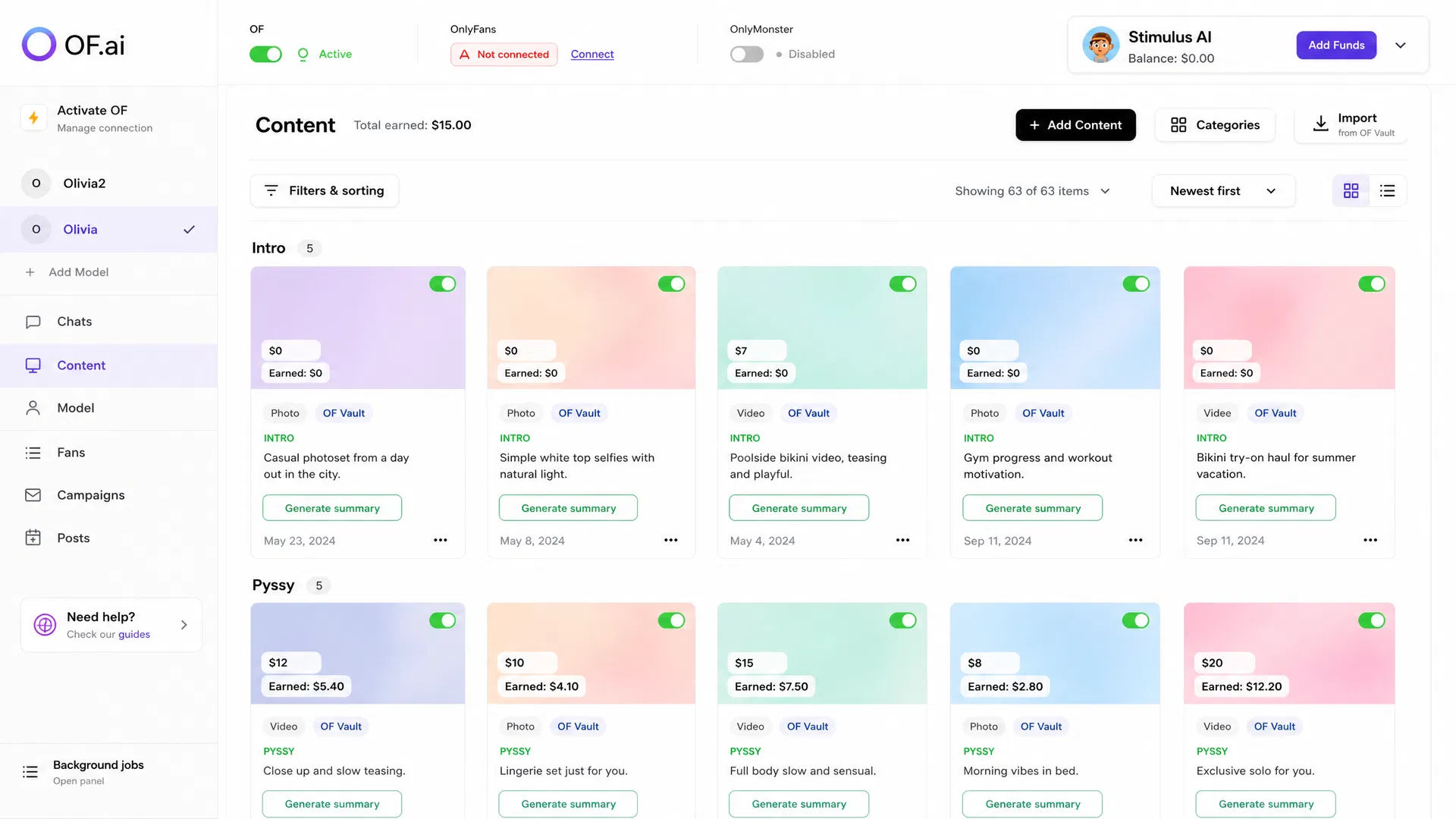
The screenshots on this page show the current workspace, chat, fan-group, and content-library surfaces. Use them, or the annotated tour of the product interface, to inspect the product as it exists rather than treating a feature list as evidence.
| Product surface | Role in the workflow | Human control to keep |
|---|---|---|
| Chat | Read the thread, generate or send configured replies, and keep the conversation context visible. | Per-fan AI on/off and operator takeover. |
| Conversation stages | Use different instructions and boundaries for different parts of a conversation. | Review stage rules and correct transitions that do not fit the conversation. |
| Fan context and groups | Keep available history, tags, purchases, and explicit group membership close to the workflow. | Treat recorded facts as context, not as proof of private intent. |
| Content library | Reference approved media, descriptions, categories, status, and configured prices. | Do not invent content availability or a price when the account has not supplied it. |
| Multi-model workspace | Operate several creators without collapsing their settings into one shared persona. | Keep model-specific persona, content, boundaries, and review responsibility separate. |
Keep Each Model’s Automation Separate
An agency problem is not simply more message volume. It is more contexts that must not leak into each other. A phrase that fits one creator may be wrong for another; the same applies to boundaries, content, price rules, fan notes, and escalation choices. Scaling the number of models without preserving that separation creates a quality problem even if every message is generated quickly.
Treat the model as an operating boundary. Configure persona and stage instructions per model, keep approved content attached to the correct creator, and review cross-model mistakes as their own failure category. When a shared agency process changes, verify that the change is appropriate for each model before publishing it everywhere.
- Separate persona, tone, boundaries, and conversation instructions
- Keep approved content and configured offers associated with the correct model
- Preserve fan history inside the correct account context
- Review changes before applying them across an agency roster of several models
- Track cross-model mistakes instead of hiding them inside a generic correction count
Human Control Is Part of the Automation Design
A supervised workflow needs a visible way to decline automation. Sensitive conversations, custom requests, disputes, missing context, ambiguous boundaries, and high-judgement situations should not be forced through the same path as a routine welcome or follow-up. The product should make stopping or taking over easy enough that an operator actually uses it.
OF.ai supports per-fan AI control and human takeover. During a pilot, do not review only the conversations that triggered an exception. Read a sample of ordinary automated conversations too, because a workflow can remain inside its technical rules and still produce a reply your team would change.
| Situation | Automation behavior | Operator action |
|---|---|---|
| Clear repeatable request with required context | Proceed inside the configured stage and content rules. | Sample and review for quality. |
| Required content, price, or context is missing | Stop rather than invent the missing input. | Supply the input or answer manually. |
| Sensitive or unusual conversation | Route or remain manual according to the configured boundary. | Take over and document why. |
| Repeated correction pattern | Do not treat each reply as an isolated incident. | Fix the persona, stage, content, or escalation rule that caused it. |
| One fan should stay manual | Disable AI for that conversation without changing every other fan. | Continue the thread as an operator. |
OnlyFans Automation Is Broader Than Chat Automation
The OnlyFans chat automation page is about the inbox itself: which messages can be handled in a supervised chat workflow, what context a reply needs, and when a person should take over. This page has a broader job. It connects chat with the surrounding operating system — fan context, content records, configured offers, multi-model separation, review, and measurement.
That distinction matters for buyers. If the problem is simply repetitive inbox work, evaluate the chat workflow directly. If the problem is that operators bounce between chats, content folders, fan lists, model instructions, and management checks, evaluate how those surfaces connect and where ownership lives.
- Chat automation — repeatable message workflows and handoff
- Content workflow — approved media, descriptions, categories, status, and configured prices
- Fan operations — fan context, groups, and notes in a CRM, plus conversation continuity
- Agency operations — model separation, review responsibility, and exceptions
- Measurement — a baseline and pilot scorecard that includes the human work still required
Measure the Workflow Before You Expand It
A successful pilot is not “the AI sent messages without crashing.” Measure whether the new workflow improved the operating problem you started with and what new work it created. Use the same account or a comparable cohort, keep definitions stable, and record material configuration changes during the test.
Commercial outcomes matter, but they should sit beside quality and workload. A workflow can increase message coverage while creating too many corrections, or reduce routine typing while shifting the burden into review. Count the whole operating effect — the automation ROI worksheet lays out the inputs — before expanding to more fans, stages, or models.
| Pilot signal | Baseline | During the pilot |
|---|---|---|
| Coverage | Eligible conversations or tasks handled by the current process. | How many eligible cases the configured workflow handled or correctly declined. |
| Corrections | Manual rewrites or recurring quality issues you already observe. | Replies or actions that operators changed, grouped by reason. |
| Takeovers / exceptions | Situations that already require judgement. | How often automation stopped or a person took over, and why. |
| Review workload | Operator and manager time spent on the existing process. | Review minutes plus correction and exception work. |
| Commercial outcomes | The purchase, offer, or retention measures your team already trusts. | The same measures for the defined pilot scope without claiming causation from unrelated changes. |
| Cross-model quality | Known handoff or context mistakes across creators. | Any persona, content, or fan-context leakage between models. |
Run a One-Model Automation Pilot
Start with one creator and one workflow whose boundaries your team can explain. Connect the supported account, review the context the integration exposes, configure the model’s persona and stages, organize the approved content needed by the workflow, and decide the stop conditions before widening coverage — the step-by-step AI chatter setup walks those screens in order. Check what AI Chatter and AI Sexter cost for that one model before you add a second.
Read the early conversations, classify corrections, and change the underlying rule instead of repeatedly fixing the same symptom. Expand only when the workflow is understandable to an operator who did not build it: they can see why it acted, what context it used, when it stops, and how to take over.
- 1. Pick one repeatable workflow and record its current baseline
- 2. Configure one model’s persona, stages, boundaries, and escalation rules
- 3. Confirm the approved content and configured offer inputs the workflow may use
- 4. Keep per-fan manual control and human takeover available
- 5. Review real conversations and classify correction or exception reasons
- 6. Compare quality, workload, coverage, and trusted commercial outcomes
- 7. Expand only after the workflow meets the operating standard you set
FAQ
What is OnlyFans automation, and which automation tools does it need?
OnlyFans automation is software doing the repeatable part of running an account — routine chats, follow-ups, finding approved content and preparing configured offers — while people keep the decisions. The automation tools it needs are the ones that share context with the conversation: chat handling, fan context, an approved content library, per-fan AI control and human takeover. OF.ai keeps those in one workflow, so you can automate one bounded task, review it and expand from there.
What is the difference between OnlyFans automation and chat automation?
Chat automation focuses on message handling inside the inbox. A broader automation workflow also includes the fan context, approved content, configured offers, multi-model separation, review, and measurement around those conversations.
What should I automate first?
Start with a repetitive workflow whose trigger, required context, allowed action, stop rule, and human owner are clear. Routine welcomes, follow-ups, common questions, or approved-content discovery are easier to inspect than ambiguous or sensitive conversations.
Can I keep a specific fan under manual control?
Yes. OF.ai supports per-fan AI control and human takeover, so one conversation can remain manual without disabling the workflow for every other fan.
Does the AI decide which content or price to invent for a fan?
It should not. Use approved content records and configured price or offer inputs. If the required content, price, or eligibility context is missing, the safer workflow is to stop or route the case for review rather than guess.
Can different models have different automation rules?
Yes. Keep each model’s persona, boundaries, conversation-stage instructions, approved content, and review process separate. For agencies, cross-model context mistakes should be monitored as their own quality category.
How do I measure whether automation is working?
Record a baseline and compare coverage, corrections, takeovers, review workload, cross-model mistakes, and the commercial outcomes you already trust for the same defined scope. Include the human work that remains instead of judging the workflow only by message volume.
Does OnlyFans automation replace chatters or managers?
There is no universal staffing answer. Automation can take on configured repetitive work, while people remain responsible for judgement, exceptions, review, creator-specific decisions, and any workflow the team keeps manual. Measure the retained workload in a supervised pilot before changing staffing.
Can I automate my OnlyFans for free?
The chat part, yes: OF.ai's AI Chatter answers fans free of charge on the first model of an account, for as long as you use it. Automated selling of approved content, PPV offers and campaigns runs on AI Sexter, which is paid.
Is OnlyFans automation safe for the account?
OF.ai is built so the creator signs in herself without the password being stored, each OnlyFans account works from its own residential address, and every automated reply is visible to the operator. No vendor can promise how OnlyFans enforces its terms, so the creator should read them and keep a person responsible for the account.
AI Chatter for OnlyFans.
Start free. Stay free.
Let AI chat with your fans 24/7 using your persona and tone of voice. Keep human control and upgrade only when you want AI selling. Free on the first model of your account; additional models use AI Sexter.