OF.ai Interface: What Each Screen Does
The OF.ai workspace is organised around the jobs a creator or an agency repeats every day: reading and answering chats, working with fan lists, keeping content and prices in order, configuring each model, and watching the account. The AI carries the repetitive conversations; you see all of them, step in whenever you want, and decide where it is trusted. The screenshots on this page are from the current product, and the sections below explain what you see on each screen and what you do there.
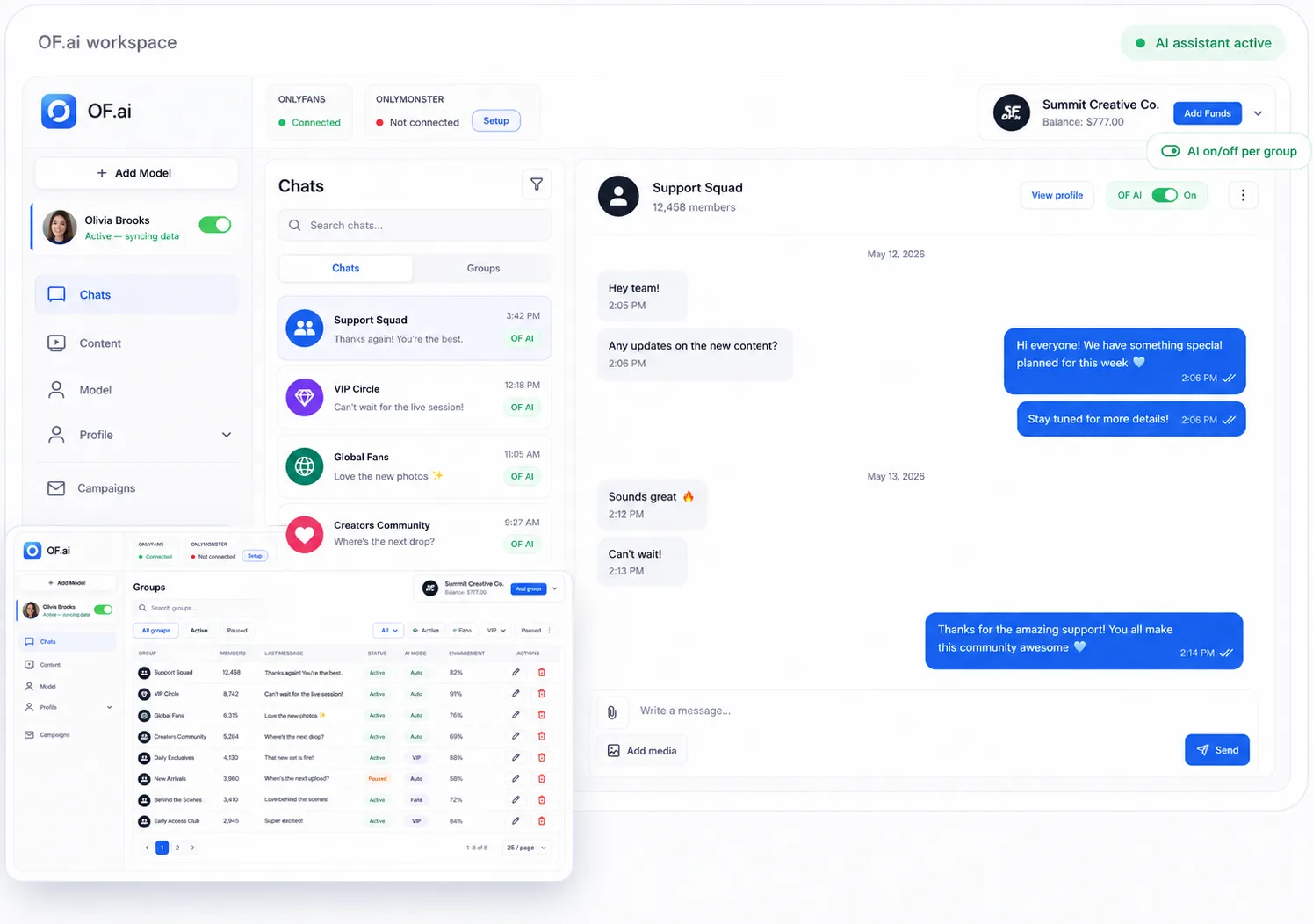
The workspace and model switching
Each model has her own OnlyFans page, content library, persona and chats. The sidebar switches between models, and every page follows the model you pick, so an agency never reads one creator's fans with another creator's settings. A creator with a single account simply works inside her own model.
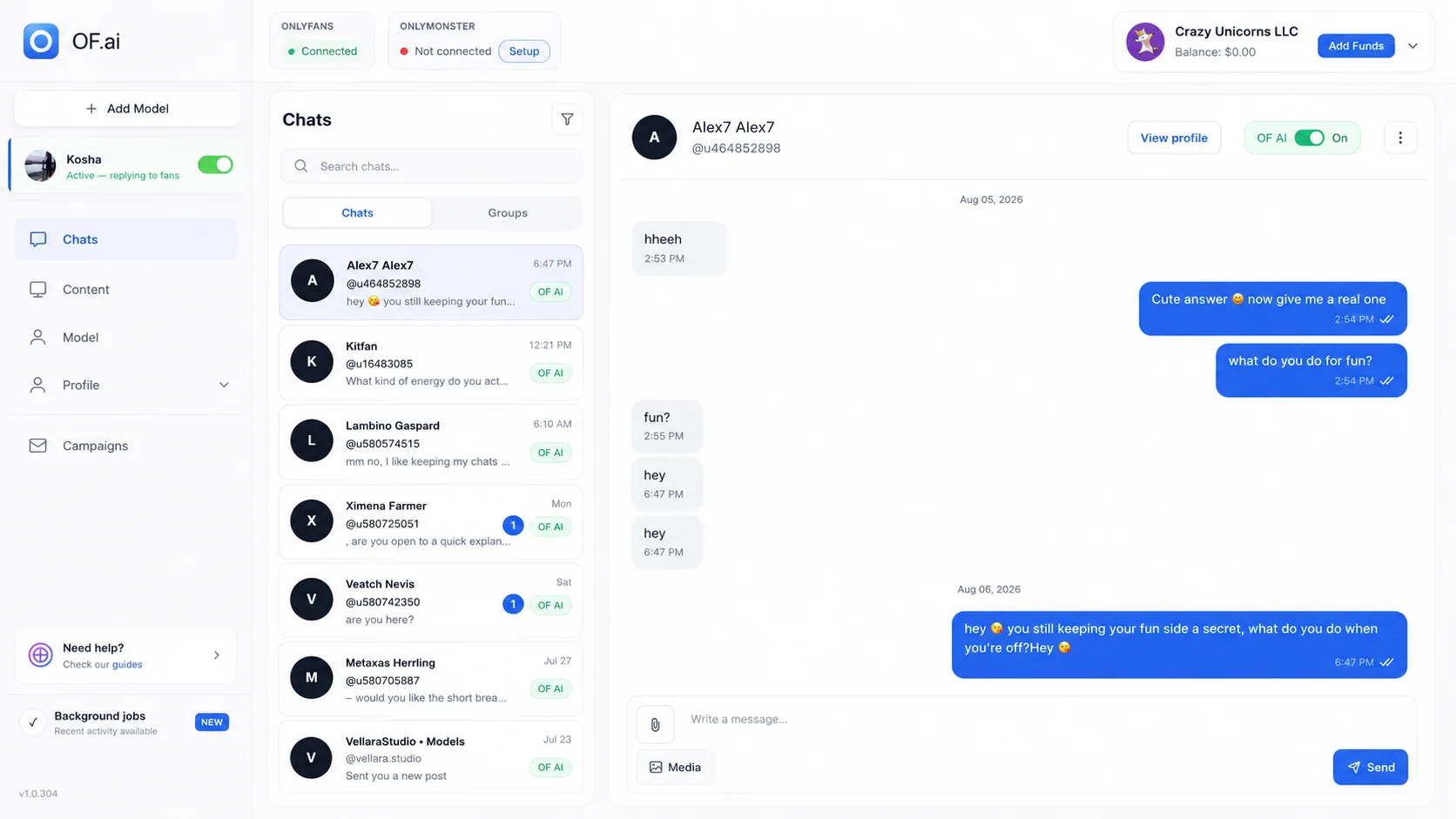
Chats: the conversation and the AI switch in one window
The chat screen shows the whole thread, the model's persona and the AI toggle together. Human messages, AI messages and media sit in one thread, so whoever opens a conversation sees what was sent and by whom before deciding anything. Persona and limits belong to that one model, so the rules in front of the operator are the rules the AI is using.
What you do on the chat screen
- Turn the AI on or off for a single fan
- Take a conversation over without moving to another tool
- Read the AI's replies in full and continue any chat yourself
- Leave sensitive or unusual conversations with a person
Fan groups: lists you can actually work from
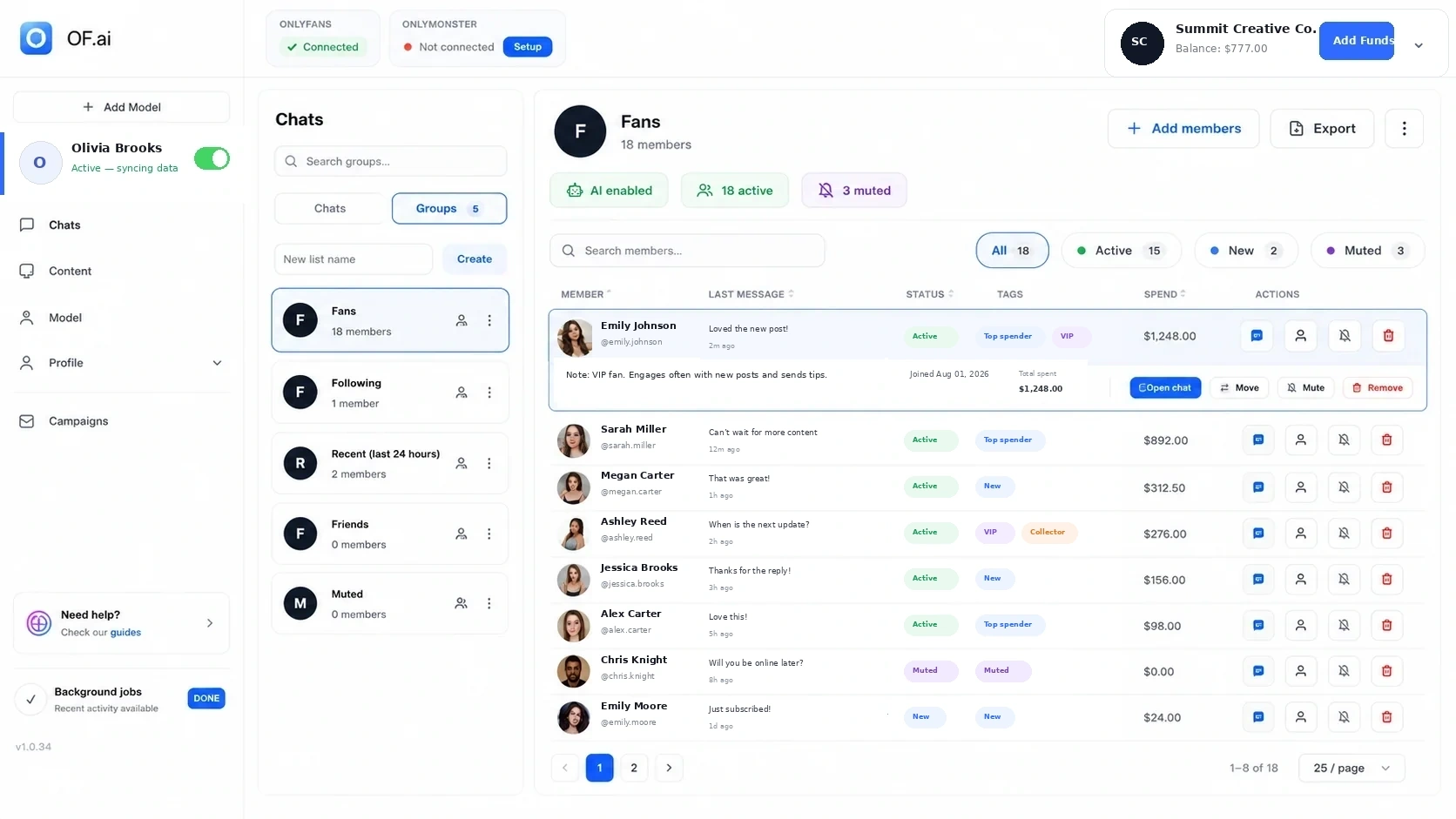
Fan groups split the audience without losing the thread. There are ready-made groups and groups you create yourself. Find the person you want, see their status and spending, and open the conversation from there.
Groups are also what campaigns are sent to: bulk mailings to fan lists and groups, with the media selected from the same approved library the AI uses in chats.
- Status, tags, spending and quick actions in one table
- Move, mute or remove a fan from the same row
- Open the chat directly from the member table
Content: the AI's sales catalog
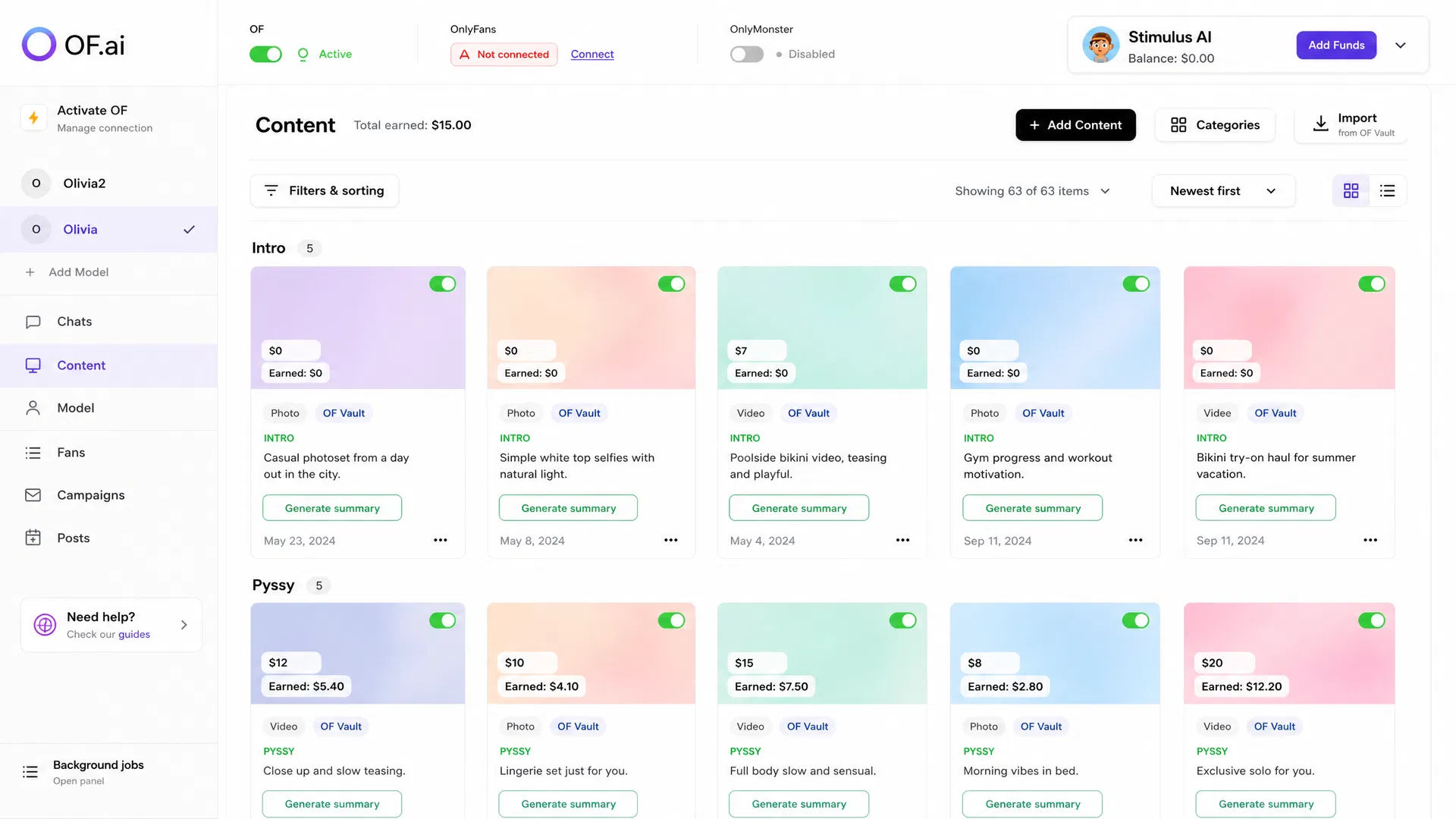
Price, category, description, status and hashtags are kept in one editor next to the chats — no separate folders and no separate spreadsheet. The AI drafts each description and you have the last word. Filters and a switch on every item keep a large library manageable.
Content lives where the conversation happens because the AI sells from it: it uses the photos, videos and prices in your library instead of inventing them. Content rights are built in: one short confirmation per creator, which a verified OnlyFans account usually answers for you, and nothing unchecked reaches a fan.
Model profile and AI persona
The persona is a questionnaire — bio, look, daily life, personality, tone of voice — that composes into the prompt, and you can preview the composed prompt before you save it. Profile data combines what is synchronised from the connected account with the details the creator or manager adds, such as language, limits and subjects to avoid. Because each model has her own persona, the models an agency runs do not share one tone or one set of limits.
Campaigns, statistics and notifications
Campaigns send bulk mailings to fan lists and groups. Statistics show what was sent, what sold and what it earned, per model and per campaign. Notifications tell you when a session drops, a campaign finishes or something needs you, instead of you finding out later; team notifications go to Telegram, depending on which integrations you have set up.
Connection, balance and billing
The OnlyFans connection is a single login in a secure browser panel: the profile fills itself, the vault imports automatically, and the password is not stored. Connection status and the balance stay visible without crowding the working screens — the balance sits in the header, you top up in USDT, pay per model per month, and every charge is itemised on your Statement.
Where to go from here
The Features page describes the same product capability by capability, and How it works shows the order in which a new model is set up. The guides linked below cover the work behind each screen in depth: chat management, fan CRM, mass messaging, PPV offers from the content library, and multi-model agency operations.
FAQ
Is the interface the same for a creator and an agency?
It is one workspace. A creator works inside her own model; an agency connects several models, switches between them in the sidebar, and every page follows the selected model.
Can an operator see what the AI has already sent?
Yes. Human messages, AI messages and media are shown in one thread, so whoever takes a conversation over sees the whole exchange first.
Where are content prices set?
On each item in the content library, next to its category, description, status and hashtags. The AI offers media at the price set there.