OnlyFans AI that drafts replies in your voice — and sells.Free on every model. You send each one.
An OnlyFans chatbot that talks in her voice.Free in suggestion mode. You can take over any chat.
Connect OnlyFans, and the AI answers your fans.Through her own IP. You read every word.
AI Closer drafts replies to your fans in your voice that also sell, and you send each one. Free on every model.
OF.ai writes to OnlyFans fans in the model’s voice and remembers what each fan said. In suggestion mode, free on every model, AI Closer drafts each reply — tips and paid content from her vault at her prices included — and she edits and sends it herself; the AI learns from her edits. In automatic mode, which is paid, it answers and sells by itself.
Suggestion mode: $0/month on every model·AI Closer Start: $0 / month + 15% of sales the AI made·AI Closer Pro from $89 / model / month + 5% of sales the AI made
Connecting means letting software into her OnlyFans account. This is what happens, step by step.
1.Create a free account
Google or email. Suggestion mode is free on every model, with no credit card.
2.Sign in to OnlyFans yourself
You enter the login and the 2FA code in an isolated browser. We never see or store the password: what is kept is the session, and you can reset it with a button.
3.Her own residential IP
Every OnlyFans account gets her own dedicated residential IP, and all of OF.ai’s traffic for it goes through that address.
4.Take over any chat, or disconnect
Read every message, switch the AI off for one fan and answer yourself. Disconnecting is one click: the model’s container stops and the session is deleted.
Creators who answer their own DMs and agencies that run several models. It is not for anyone who wants the AI to run unread, or to sell content the creator has not approved.
For creators
If you answer fans yourself, AI Closer drafts every reply in your voice, free on every model, and remembers what each fan told you. A draft can offer PPV: files you approved, at prices inside the range you set for each category. You send each one, and the AI learns from how you edit. Switch to automatic mode only when you want it to answer by itself.
Free suggestions
Your voice and limits
Your price ranges
OF.ai
For agencies
Each model gets her own persona, vault, price ranges, stop topics and residential IP. Your chatters keep the fans they want and the AI answers the rest, fan by fan; anyone on the team can take a chat over. Suggestion mode is free on every model; automatic mode is paid.
One IP per account
Human and AI per fan
Many models, one workspace
OF.ai
Agency pilot
One model, set up together on a call.
You read every conversation. Move the rest of the roster when the result convinces you — not before.
We'll get back to you.
Running 10+ models on Supercreator, Infloww or Fanovate? We migrate the personas and price lists for you. →
Is an AI chatter safe for your OnlyFans account?
Connecting means letting software into a model’s account. Here is what OF.ai actually does there, and what no tool can promise: that OnlyFans will never act on an account.
One account, one address
Every OnlyFans account gets her own dedicated residential IP, and all of OF.ai’s traffic for it goes through that address. If no address is free, the model is not started from a shared one.
You sign in yourself
You enter the login and the 2FA code in an isolated browser. We never see or store the password: what is kept is the session, and you can reset it with a button.
The AI can only write messages
It sends messages and, on AI Closer, files from her approved vault. It does not change prices, settings or payouts, and it stays off the topics on the persona’s stop list.
You read everything
Every message the AI sends is visible in the workspace. Switch it off for one fan or for the whole model, and answer yourself.
Disconnecting is one click
The model’s container stops and the session is deleted. What stays with us, and for how long, is written on the security page.
You choose which fans the AI answers, and you can read every reply it sends.
01
Connect
Sign in to the model’s OnlyFans account yourself, with 2FA, in an isolated browser on her own residential IP. Her profile and vault import into the workspace.
02
Configure
Set the persona, the language, the limits and the prices for content.
03
Review
Switch the AI on for a few fans first. Read every reply, take over where it misses, and correct the persona.
04
Scale
Turn it on for the rest of her fans. Suggestion mode is free on every model; switch to automatic mode when you want the AI to answer and sell by itself.
OnlyFans chat management in one workspace
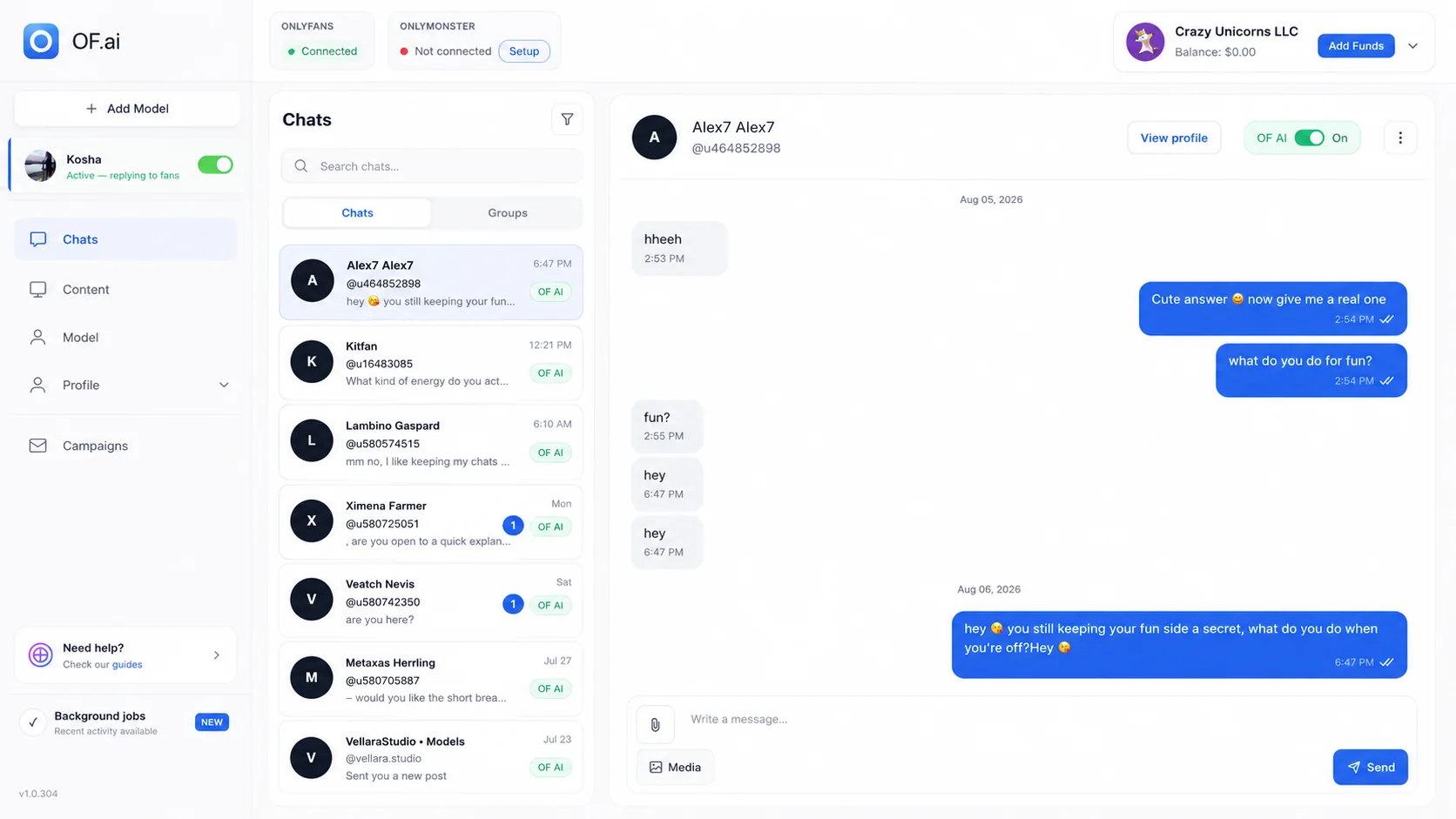
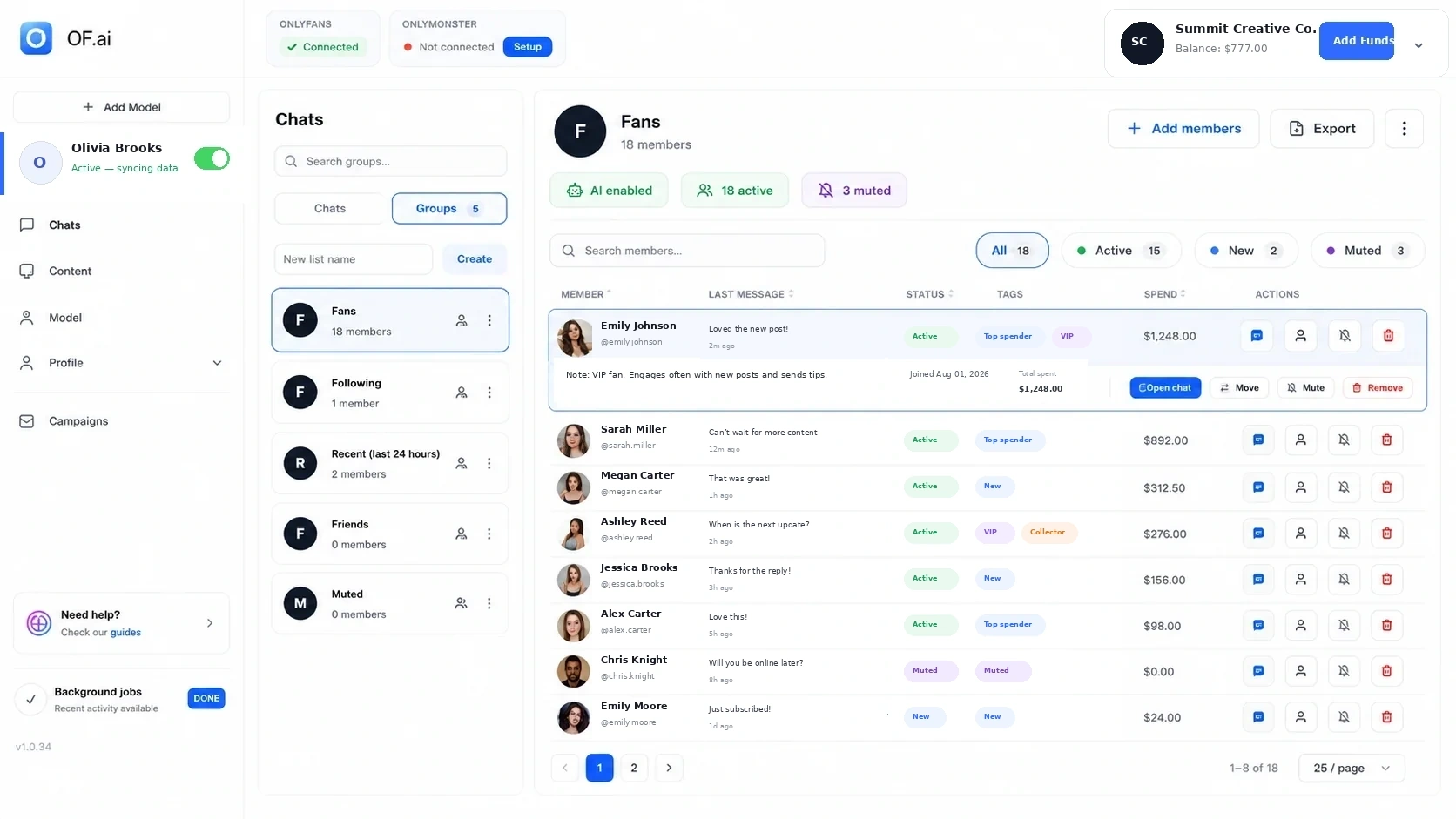
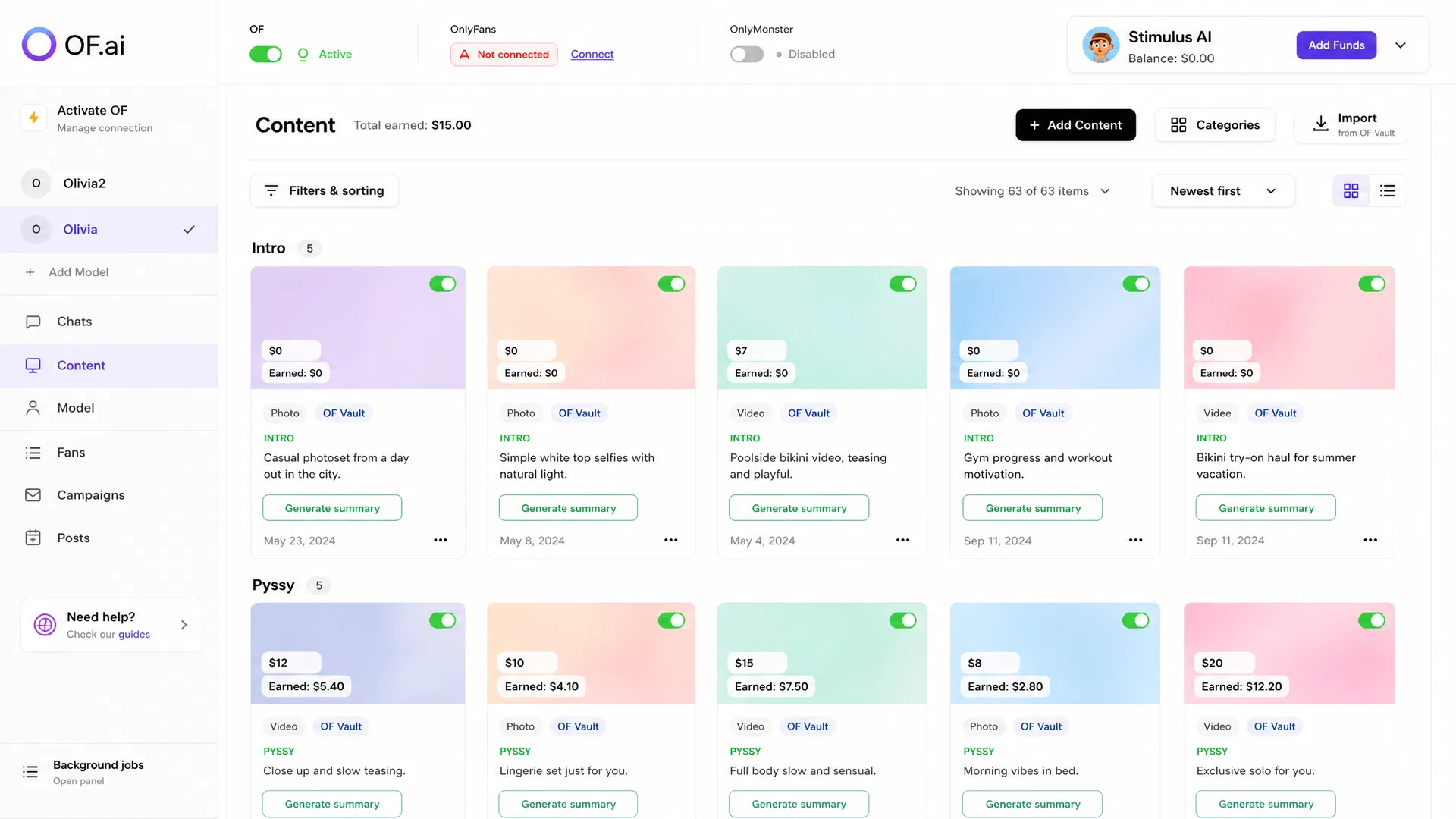
Chats, fan groups and the content vault are tabs of one workspace, so whoever checks the AI sees the thread, the fan and the files together.
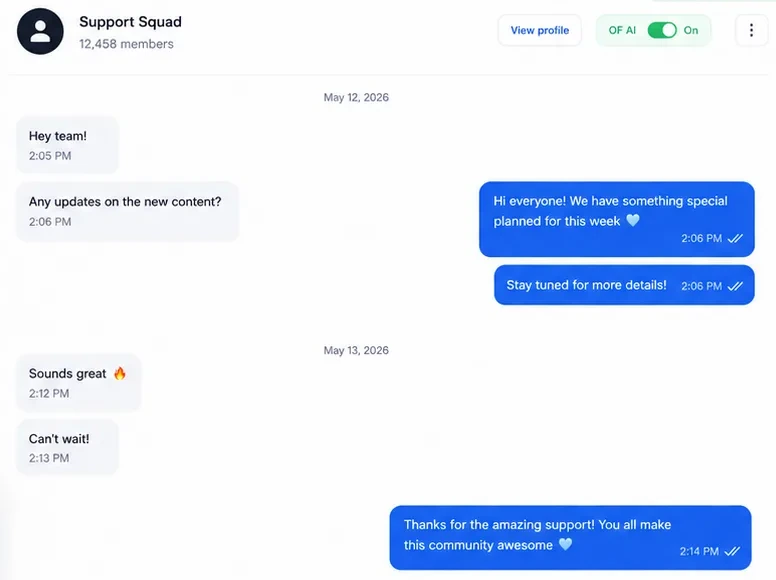
The whole thread, the model’s persona and the AI toggle on one screen. An operator takes the conversation over without moving to another tool.
Control fan by fan
Turn the AI on or off inside a single conversation.
Human takeover
Step into any conversation at any moment.
Fan groups
Split the audience without losing the thread.
Content at hand
Media and prices in the same window as the conversation.
Start with one model, not the whole agency.
Let AI Closer draft replies for a few of her fans, read and send them yourself, then decide whether to switch on automatic mode or add more models.
OF.ai does not run one script for every fan: each conversation sits at a stage, and each stage has its own instructions. In suggestion mode nothing reaches a fan until she sends it. Prompt changes are tested in a test lab before they go live.
01
Opening
Start the conversation and work out who this is.
↓
02
Talking
Keep it going in the model’s voice.
↓
03
Interest
Find out what this fan responds to.
↓
04
Offer
On AI Closer: offer a file from the approved vault when the moment fits.
↓
05
Keeping
Carry the conversation on after the purchase.
Chatter workload calculator: what could the AI handle?
Enter your own fan and conversation numbers. You get replies and team hours, not a revenue promise.
That is 10% of your active fans in conversation each day.
Monthly replies handled by AI
25,200per month
Estimated team hours saved
630per month
Hours are estimated at about 1.5 minutes of handling time per reply.
Estimates are calculated from the values you enter and are not guaranteed results.
OnlyFans AI chatter pricing: suggestions free, automatic mode paid
AI Closer is free on every model in suggestion mode: it drafts replies in her voice that also sell — tips and paid content from her vault at her prices — and she reads, edits and sends each one herself. Nothing goes to a fan on its own, and there is no monthly fee and no commission. Automatic mode, where the AI answers and sells by itself, is paid and comes in two plans: Start, with no monthly fee and a larger share of the AI's sales, and Pro, with a monthly fee per model and a smaller share.
AI Closer · suggestion mode
$0 / month · Free on every model
The AI drafts every reply in her voice, including tips and paid content from her vault at her prices. She reads it, edits it if she wants and sends it herself: nothing goes to a fan on its own. The AI learns from how she edits. No monthly fee, no commission, on every model.
+ 15%of sales the AI made. Nothing on what your team sells.
The AI answers and sells by itself, with no monthly fee for any model: you pay only a share of the sales the AI made.
AI Closer Pro
A monthly fee per model, lower as more models run it, and a smaller share of the sales the AI made.
1–4 models
$89/ model / month
5–9 models
$79/ model / month
10–24 models
$69/ model / month
25+ models
$59/ model / month
+ 5%of sales the AI made. Nothing on what your team sells.
Pro costs less than Start once the AI sells more than $890 a month on a model at the $89 seat.
Both plans include
Every model keeps her own persona, voice and boundariesConversation stages, content rules and human takeoverContent library with AI descriptions, categories and pricingCard or USDT — every charge itemized on your Statement
How we count it: a sale is the AI’s only when the AI sent the offer. Every one is listed on your Statement.
Prices in USD. Suggestion mode is not billed on any model. In automatic mode, AI Closer Start has no monthly fee and AI Closer Pro is billed monthly per model the AI answers by itself. No setup fee, no minimum term. For scale: what a human chatter costs, by our own research — the chatter cost report.
Suggestion mode vs automatic mode
Suggestion mode vs automatic mode
Suggestions · free
Automatic
Conversation in the model’s voice
Persona, languages and stop topics
Fan memory and context
Tips and paid content from her vault, at her prices
Learns from how she edits replies
Answers fans by itself
Sends paid offers by itself
Statement with every charge
OnlyFans AI chatter FAQ
Account safety, control and cost, answered the way you would ask them.
OF.ai is AI chat software for OnlyFans creators and agencies. Its AI Closer writes to fans in the model’s voice, remembers each fan and sells: it asks for tips and offers PPV from her approved vault at prices inside ranges she sets. In suggestion mode, free on every model, it only drafts replies and she sends them herself; in automatic mode, which is paid, it answers and sells by itself. Any chat can be taken over by a person at any moment.
OF.ai is built to protect the account, but it cannot promise OnlyFans will never act on one: platform rules change, and no software can guarantee zero risk. What it does: each OnlyFans account works through its own dedicated residential IP, you sign in yourself with 2FA, the AI only writes messages, and you can read every one of them. The decision and the risk stay with the account owner.
No. In suggestion mode the AI sends nothing: it puts a file and its price into a draft, and she decides whether to send it. In automatic mode it sends only files from the creator’s own approved vault, under the persona’s and the stage’s rules, at a price inside the floor and ceiling she set for that category. Nothing is generated, and nothing comes from outside her vault.
You sign in to OnlyFans yourself, typing the login and the 2FA code in an isolated browser, and OF.ai keeps only the resulting session, never the password. You can reset that session with one button in the workspace, and disconnecting the model deletes it.
Its own. OF.ai gives each connected OnlyFans account a dedicated residential IP, and the AI, the media downloads and the browser session all reach OnlyFans through it. Two accounts never share an address, and a model with no free address is not started from a shared one.
Yes. In OF.ai the AI is switched on or off fan by fan, so your chatters keep the conversations they want and the AI answers the rest. Anyone on the team can take an AI chat over at any moment, and human and AI messages sit in one thread, so whoever picks it up sees what was said.
Yes. For each model you write the persona in OF.ai: tone, languages, limits and stop topics. You switch the AI on or off fan by fan, take over any conversation in one click and read everything it sends. OF.ai tests prompt changes in a test lab before they go live, and no model is trained on your chats.
Switch the model off or delete it in the workspace: the container stops and the OnlyFans session is deleted. Conversation history and the content library are deleted on request; the details are on the security page.
The AI goes quiet and nothing is sent in your name. Your chatters keep working in OnlyFans as usual, and when the service is back the AI picks up where each conversation stands.
Suggestion mode is free on every model: AI Closer drafts replies that also sell, and she sends each one herself, with no monthly fee and no commission. Automatic mode, where the AI answers and sells by itself, has two plans: AI Closer Start has no monthly fee and takes 15% of the sales the AI made, and AI Closer Pro has a monthly fee per model plus 5%, which pays off once the AI sells more. Current Pro prices are in the Pricing block above and on the pricing page.
OnlyFans AI chatbot, CRM & automation tools for agencies
Compare the OnlyFans AI chatbot, fan CRM, chat automation, management software, PPV workflows, and agency tools in the parts of the platform built for each job.
Connect one model.Read how the AI writes to her fans.
Suggestion mode costs nothing on any model. Connect her account, read the replies the AI drafts for her fans, and send the ones you want.