OnlyFans AI Chatbot That Keeps a Human in Control
An OnlyFans AI chatbot — an OFM chatbot, in agency shorthand — is software that writes replies to fans inside a creator's OnlyFans chats. Most look alike in a demo; they differ in what the bot is allowed to read, what it may send and how fast a person can stop it. This page is the checklist for those three things, with OF.ai's own answers beside each one.
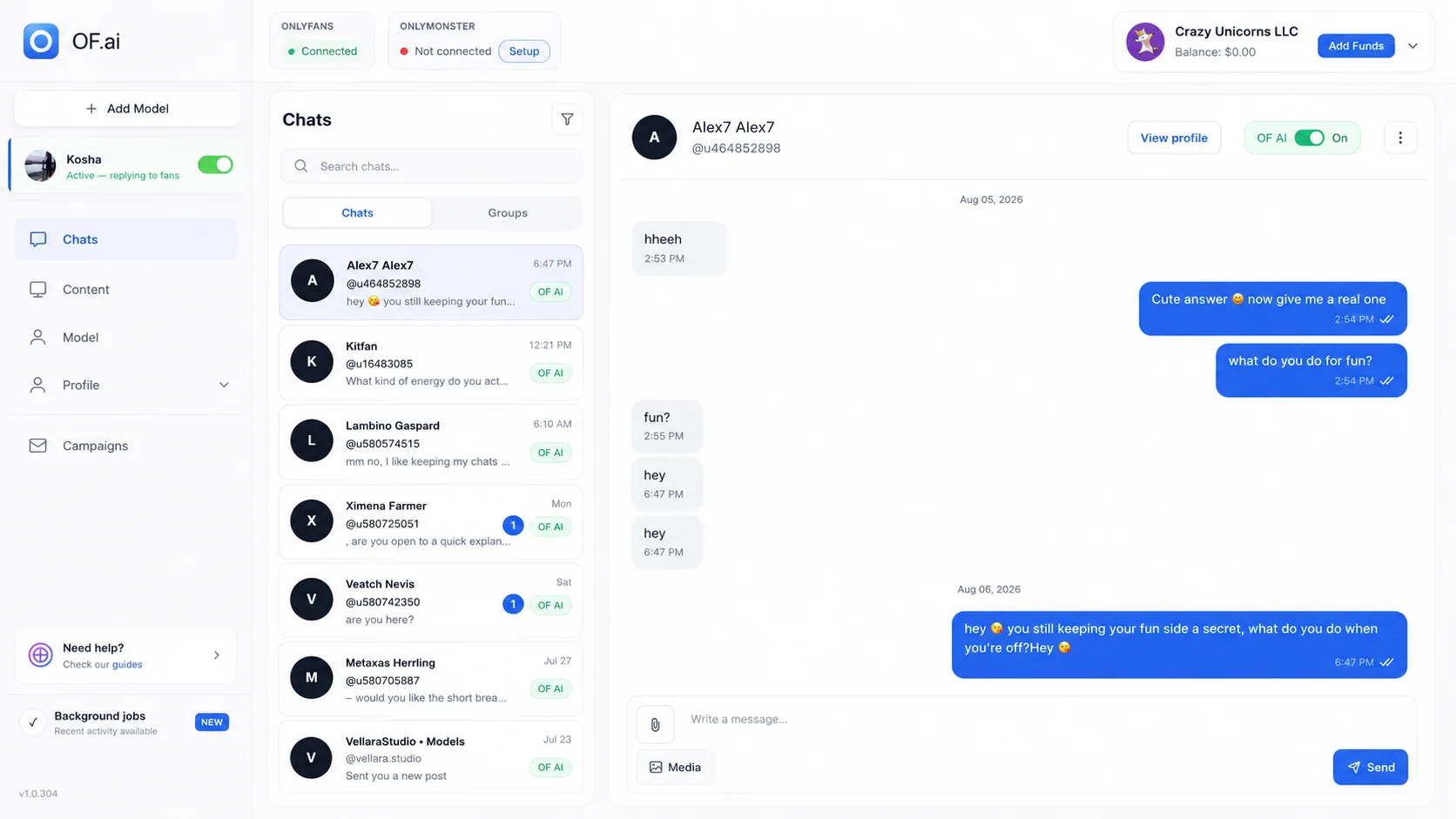
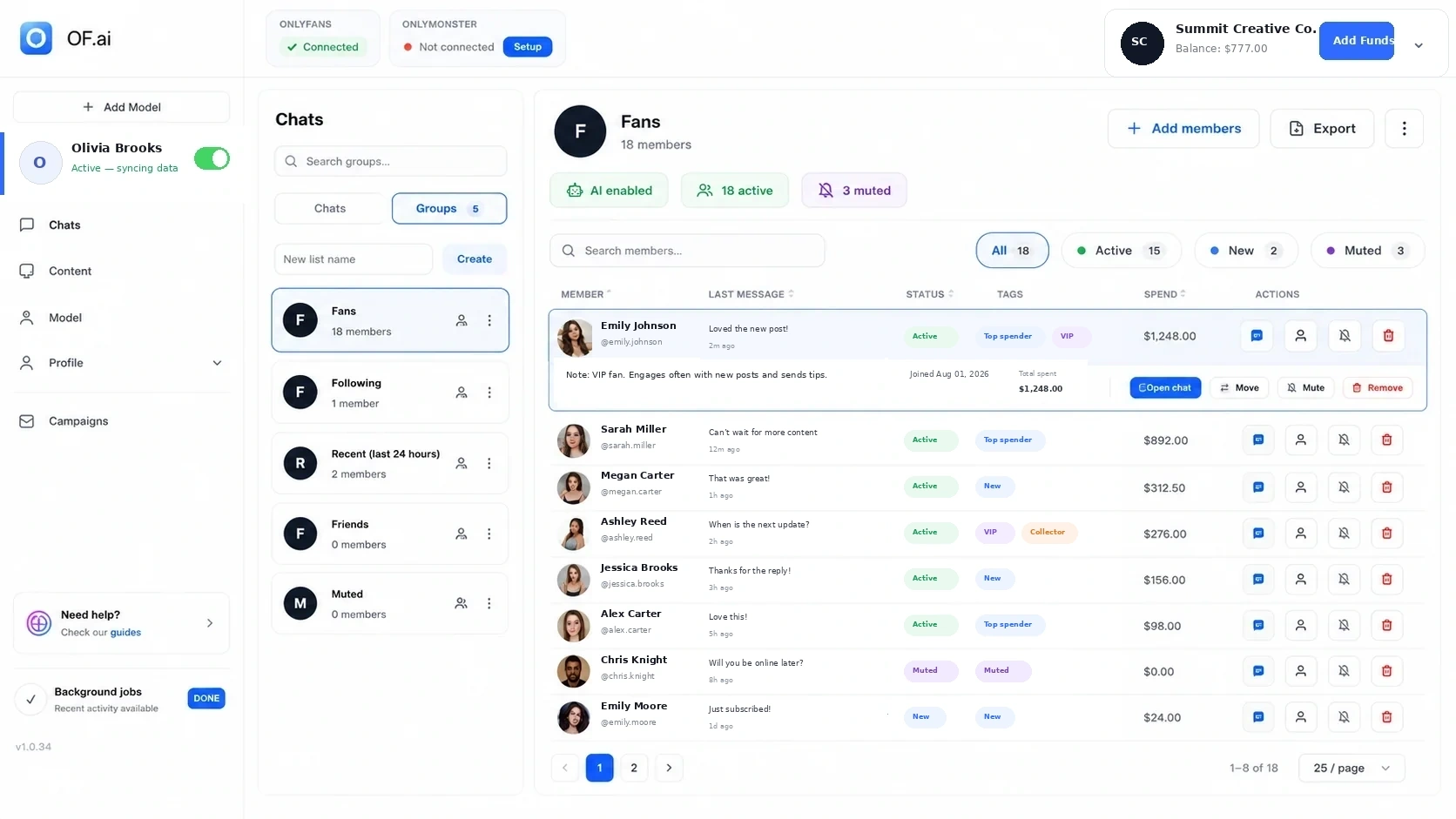
- Keep persona, boundaries, stage instructions, and approved content separate for each model
- The bot reads a card, a summary and the history for every fan, not a blank prompt
- Switch AI off for one fan or take over a live thread without changing the rest of the inbox
- Start with one model and count corrections, takeovers and review time against your own baseline
What to Ask Before You Put a Chatbot in a Paid Inbox
Before an OnlyFans chatbot touches a paying fan, get a straight answer to six questions; a vendor who answers any of them with an adjective has not built the control. The list below is the one to read out on a sales call, and the right-hand half of each line is how OF.ai's AI Chatter answers it.
- Where does the voice come from? — A persona questionnaire and a Tone of Voice setting per model, not one shared prompt
- What does it know about this fan? — His card, a running summary, the conversation history and the stage he is at
- What may it send? — Nothing on the free plan; on AI Sexter, only approved files from the creator's own vault, priced inside her range
- How is it stopped? — An AI switch per fan and a one-click takeover; the AI stays off for that fan until switched back
- Which address does it use? — Each OnlyFans account works through its own dedicated residential IP, never a shared one
- What happens to the chats? — They stay readable by the operator, and the AI does not train itself on them
What the Chatbot Can Use — and What Your Team Controls
An OnlyFans AI chatbot is only as safe as the inputs it is allowed to read and the outputs it is allowed to send. In OF.ai both lists are short and visible to the operator; anything not on them, the bot does not have.
- Creator-specific persona, tone of voice, languages and boundaries, set per model
- Conversation-stage instructions rather than one universal prompt for every situation
- Each fan's card, running summary, conversation history and current stage
- Approved content and configured offer rules available to the workflow once AI Sexter selling is on
- Per-fan AI on/off control and a human takeover path
- Review of corrections and takeovers before wider rollout
Scripted Bot, ChatGPT or an AI Chatter: Three Different Purchases
“OnlyFans chatbot” covers three tools that work very differently, and most disappointment comes from buying one while expecting another. A scripted bot sends prewritten lines; a general chat model drafts text that a person pastes; an AI chatter answers inside the chat with the fan's context. Compare them on what they actually do in the inbox:
| Question | Scripted bot | ChatGPT in another tab | OF.ai AI Chatter |
|---|---|---|---|
| Who sends the message | The bot, from a script | A person copies and pastes | The AI, in the creator's own OnlyFans session |
| Knows this fan | Tags at most | Only what you retype | Card, summary, history and stage |
| Sounds like her | Same lines for every fan | Whatever you prompt each time | Persona and Tone of Voice set once per model |
| Stopping it for one fan | Usually a global pause | Stop pasting | Per-fan switch and one-click takeover |
| Sends paid content | Same offer to everyone | No | Only on AI Sexter, from her approved vault, inside her price range |
An Example Exchange, With the Setting Behind Each Reply
Illustrative example, written for this page — not a real conversation and not a result. It shows how three settings decide a chatbot's replies, and the moment a person should take the thread. The persona says: lowercase, short messages, one emoji at most, no calls, never leaves the platform.
- Fan: “you around tonight?” — Reply: “just got back from the gym lol, why what did you have in mind” (Tone of Voice: lowercase, no full stop, no emoji needed)
- Fan: “can we video call?” — Reply: “i don't do calls babe, but i'm all yours in here 😘” (a boundary written in the persona, refused in her own words)
- Fan: “add my snap then” — Reply: keeps the conversation on OnlyFans (the no-off-platform rule applies to every thread)
- Fan: “sorry if i'm weird today, my dad passed last week” — The operator switches the AI off for this fan and answers herself; the AI stays off for him until she turns it back on
A Safer Rollout Than Turning On Every Conversation
Roll an OnlyFans chatbot out on one model and one kind of conversation first, such as the welcome message to new subscribers. Read the actual threads, write down why a person corrected or took over each reply, and change the persona, stage or boundary that caused it — not the individual message.
Widen coverage only when the review workload is acceptable against a baseline you already know, and writing down where your time goes before anything changes is what gives you one. A supervised pilot tells you more than any vendor's automation percentage, because your traffic, offers and fans are not the vendor's.
- Week one: AI on for a slice of fans, VIPs and sensitive threads kept manual
- Every day: read the threads, log each correction and takeover with a reason
- Fix causes, not messages: persona, Tone of Voice, boundaries, stage
- Widen only when corrections stop repeating
The Pilot Scorecard
A chatbot pilot needs five numbers kept the same way before and during the test. Each one answers a different question, and none of them is a forecast — if you cannot fill a row from your own records, start recording it before you switch the bot on.
| Signal | Record | Decision |
|---|---|---|
| Coverage | Target conversations handled during the operating window | Whether repeatable work is actually being covered |
| Corrections | Replies edited, rejected, or flagged | Which instructions need work |
| Takeovers | Threads moved to a person and why | Which scenarios should remain manual |
| Review load | Operator and manager time spent supervising | Whether the workflow removes work or merely relocates it |
| Commercial outcomes | The purchase and revenue measures your team already uses | Whether the workflow is useful enough to expand |
Test the Control Surface, Not Just the Demo
A chatbot demo shows good replies; a control test shows what happens when an input is wrong or missing, which is what a busy inbox produces daily. Before expanding, run a chat automation buyer checklist against the tool and try each test below deliberately on a small supervised sample.
Each failure signal in the table is a reason to fix a setting before widening, not a reason to abandon the pilot. A tool that fails the same test twice after the setting was fixed is the one to drop.
| Control | Deliberate test | Failure signal |
|---|---|---|
| Creator separation | Switch between two creator configurations | Tone, rules, or content leak across models |
| Missing context | Remove a data point needed for the next step | The workflow guesses instead of stopping or escalating |
| Content permissions | Ask for an unavailable or unapproved asset | The reply invents availability or selects the wrong content |
| Sensitive boundary | Trigger a manual-only scenario | Automation continues when a person should take over |
| Human takeover | Move an active thread to an operator | Context is lost or duplicate replies appear |
Failure Modes Worth Testing on Purpose
Keep a short set of hard fan messages from your own inbox and replay it every time the persona, stages or boundaries change. OF.ai does the same on its side: changes to the AI's prompts are run in a test lab against saved scenarios before they go live, so a fix for one situation is checked against the others first. The cases worth having in your own set:
- A fan asks for something outside the creator's configured boundaries
- The conversation reaches an offer stage but no approved file fits
- The fan card contradicts something the fan just said
- A fan asks to move to Snapchat, Telegram or a call
- The creator's tone rules conflict with a generic response pattern
- A manager takes over and later hands the thread back to the AI
When an AI Chatbot Is the Wrong First Purchase
An AI chatbot is the wrong first purchase when the inbox is small, every conversation is deliberately personal, or nobody can read a pilot for its first two weeks. In those cases the bottleneck is elsewhere: tidy content ownership, write the creator's boundaries down and decide who handles takeovers before adding any OnlyFans automation on top of an unclear process.
The good fit is a creator or agency with repetitive inbox work — a chat workload estimate from your own counts shows whether you have it — explicit boundaries, and one person who can classify corrections and takeovers. For a multi-model team, add one more test: model separation. Persona, content and rules have to stay per creator, so moving a second model onto the bot never blends two voices.
- Not yet: low volume, no written boundaries, no reviewer
- Not yet: the creator wants to write every message herself
- Ready: repeatable questions, boundaries on paper, one named reviewer
FAQ
What is an OFM chatbot, and is it the same as an OnlyFans AI chatbot?
Yes, it is the same thing under two names. OFM stands for OnlyFans management, so an OFM chatbot is the chatbot an agency or creator uses to answer fans in OnlyFans chats; “OnlyFans chatbot” and “OnlyFans AI chatbot” are the more common searches. The label matters less than whether your team controls the persona, the fan context, what the bot may send, when it stops and who takes over.
Is there a free OnlyFans AI chatbot?
Yes. OF.ai's AI Chatter is free forever on the first model of an account: it answers fans in the creator's persona, remembers each of them and lets a person take over any thread. It does not sell — offering paid content is AI Sexter, the paid plan, and there is no free trial of that. Every model after the first runs the AI as AI Sexter.
Can an OnlyFans chatbot sell PPV content?
OF.ai's can, on AI Sexter. It offers only approved photos and videos from the creator's own vault, at a price inside the floor and ceiling she set for that category, and the fan pays on OnlyFans as usual. The free AI Chatter sends no media and makes no offers. Current AI Sexter prices are on the pricing page.
Can I keep VIP or sensitive fans away from the chatbot?
Yes. The AI is switched on or off per fan, so VIPs and sensitive threads can stay with a person while the rest of the inbox runs on the AI. Any live thread can also be taken over in one click; the AI then stays off for that fan until someone switches it back on.
Does an OnlyFans chatbot use the same prompt for every model?
In OF.ai, no. Each model has her own persona, Tone of Voice, languages, boundaries and stage instructions, and the bot answers a fan only from the settings of the model he is talking to. Test this on purpose before adding a second model: switch between two configurations and check that no tone or rule crosses over.
What happens when the AI chatbot gets something wrong?
A person takes the thread over, and the AI stays off for that fan until switched back on. Then fix the cause rather than the message: the persona line, the boundary or the stage that produced the reply. If the same kind of error comes back after the fix, keep that situation manual and record why.
How should I test an OnlyFans chatbot before trusting it?
Use one model and a slice of fans. Keep VIPs manual, read every thread daily and log each correction and takeover with a reason. Deliberately test creator separation, a missing file, an off-platform request and a sensitive message. Compare coverage, corrections, takeovers and review time with how the same fans were handled before.
Does the chatbot learn from my fans' chats?
OF.ai's AI does not train itself on the creator's chats. It reads each fan's card, summary and history to answer that fan, and what it says follows the persona and settings the team wrote. When the answers need to change, a person changes those settings; nothing drifts on its own from yesterday's conversations.
AI Chatter for OnlyFans.
Start free. Stay free.
Let AI chat with your fans 24/7 using your persona and tone of voice. Keep human control and upgrade only when you want AI selling. Free on the first model of your account; additional models use AI Sexter.