Best OnlyFans Chat Automation: A Buyer Checklist You Can Test
There is no universal 'best' chat automation for every creator or agency. The useful question is whether a tool can run your actual conversation workflow with the context, content, controls, review, and human takeover your team needs. Shortlist products by evidence you can inspect, then test the same bounded workflow on one creator before moving more conversations or changing staffing.
- Judge the workflow, not a vendor's feature count or revenue promise.
- Ask to see fan context, approved content, escalation, manual takeover, and correction paths in the product.
- Count review and exception work as part of automation cost.
- Use one-model pilot criteria you define before the test starts.
What 'Best' Should Mean for Chat Automation
A chat tool is a good fit when it reduces repeatable work without hiding the judgement, review, or recovery work that remains. For one creator, the priority may be preserving direct control while reducing routine inbox work. For an agency, model separation, permissions, handoffs, QA ownership, and cross-account oversight can matter just as much as message generation.
Do not rank products from screenshots or marketing claims alone. Define the job first: which conversation stages can be automated, what context is allowed to influence a reply, which content can be offered, who owns exceptions, and how quickly a person can take over. Then ask every candidate to demonstrate that same job.
The Buyer Checklist: Eight Things to Verify in the Product
| Buyer question | Evidence to ask for | Failure mode to watch |
|---|---|---|
| Can the workflow use creator-specific context? | Show persona, boundaries, approved examples, and model-specific settings. | A generic assistant behaves the same across creators or invents missing facts. |
| Can it use fan context without pretending to know private intent? | Show observable history, tags, notes, purchases when available, and missing-data behavior. | Opaque purchase-intent or churn labels are treated as facts. |
| Can it reference only approved content and offer inputs? | Show where media, metadata, availability, and configured price or offer rules come from. | The assistant guesses content, availability, or pricing. |
| Can one fan be handled manually? | Show per-conversation AI control and live human takeover. | The only safety control is disabling automation for the whole account. |
| Are escalation and review visible? | Show flags, takeover reasons, review queues, corrections, and ownership. | Exceptions disappear into logs nobody operates. |
| Can agencies keep creators separated? | Show separate persona, content, fan context, and permissions for different models. | Context or content can leak across creator workspaces. |
| Is pricing understandable before rollout? | Show current seat, usage, revenue-share, or service charges and what triggers them. | The budget depends on sales calls or copied old pricing. |
| Can you pilot without a full migration? | Show how one creator or bounded workflow can be enabled and measured first. | The vendor requires an all-at-once switch before failure modes are known. |
Chat Context Matters More Than a Clever Demo Reply
A polished one-off response is easy to demonstrate. Production chat is harder because the next message depends on what happened earlier, what the creator allows, what content is approved, what the fan already received, and whether the conversation has reached a point where a person should own the decision.
Evaluate continuity, not just prose. Give the candidate workflow conversations with missing context, prior purchases, manual notes, unusual requests, stale information, and a required human handoff. The useful product is the one whose behavior remains inspectable when the happy-path demo ends.
- Conversation and fan history when the connected source exposes it
- Creator-specific persona, boundaries, and stage instructions
- Approved content and explicit offer inputs
- Clear behavior when required data is missing
- Human review and takeover for exceptions or sensitive cases
Automation Quality Includes the Human Work Around It
A tool can automate message generation and still increase operating work if managers spend more time correcting tone, resolving content mistakes, investigating context failures, or taking over poorly routed conversations. That work belongs in the evaluation.
Build a small scorecard that measures both output and supervision. The goal is not zero human involvement; it is a workflow where the remaining human work is deliberate, visible, and worth the value it adds.
- Corrections required before or after send
- Human takeovers and the reason for each one
- Context, content, or offer-input failures
- Review minutes per representative conversation set
- Boundary or tone errors
- Trusted commercial measures using the same definitions as the baseline
Solo Creator and Agency Buyers Should Weight the Checklist Differently
| Decision area | Solo creator | Agency |
|---|---|---|
| Control | Fast manual takeover and simple creator-specific rules. | Clear ownership, escalation, and permissions across team members. |
| Context | One creator's fan and content context can stay compact. | Every creator needs isolated persona, content, fan data, and workflow settings. |
| Operations | Reduce repetitive work without creating a management layer. | Reduce handoff and QA complexity across models and shifts. |
| Measurement | Compare creator time, corrections, takeovers, and trusted outcomes. | Use the same scorecard across representative accounts while preserving account-level drill-down. |
| Rollout | Start with a narrow fan cohort or conversation stage. | Start with one model before changing the agency-wide operating process. |
Red Flags in a Chat Automation Sales Page
Treat universal claims as a reason to ask for evidence rather than as a buying signal. A vendor cannot know your audience, content, pricing, current team quality, platform configuration, or review standard from a landing page.
The strongest product proof is operational: current screenshots, a workflow you can inspect, clear boundaries, understandable pricing, and a test that can fail honestly. Claims about being undetectable, replacing every chatter, guaranteed availability, instant scale, or universal revenue lift are not substitutes for that proof.
- Guaranteed or average revenue lift without a cited comparable dataset
- Claims that the AI is undetectable or cannot make consequential mistakes
- Universal response-time or availability promises without service definitions
- Purchase-intent predictions presented as observable facts
- Staff-replacement claims that ignore review, exceptions, and management work
- Feature claims you cannot see in the current product or documentation
Run a One-Model Buyer Test Before You Choose
Pick one creator and one representative conversation workflow. Record the current baseline first, including operator time, review time, corrections, handoffs, content lookup, takeovers, and the commercial measures you already use. Then configure the candidate tool and keep the measurement definitions unchanged.
Decide before launch what would stop the pilot and what would justify expanding it. A valid result may be broader automation, a smaller automation boundary, or a hybrid workflow where selected conversations stay human. The point of the pilot is to discover the right operating boundary, not to prove the purchase was correct after the fact.
- Use one creator to reduce differences in audience and persona.
- Choose a bounded workflow with enough volume to observe recurring problems.
- Document configuration and every material change made during the test.
- Review errors, takeovers, and moved work — not only messages successfully automated.
- Compare total workload and quality with the same baseline definitions.
- Expand only after the workflow meets your own pre-defined standard.
How OF.ai Maps to the Checklist
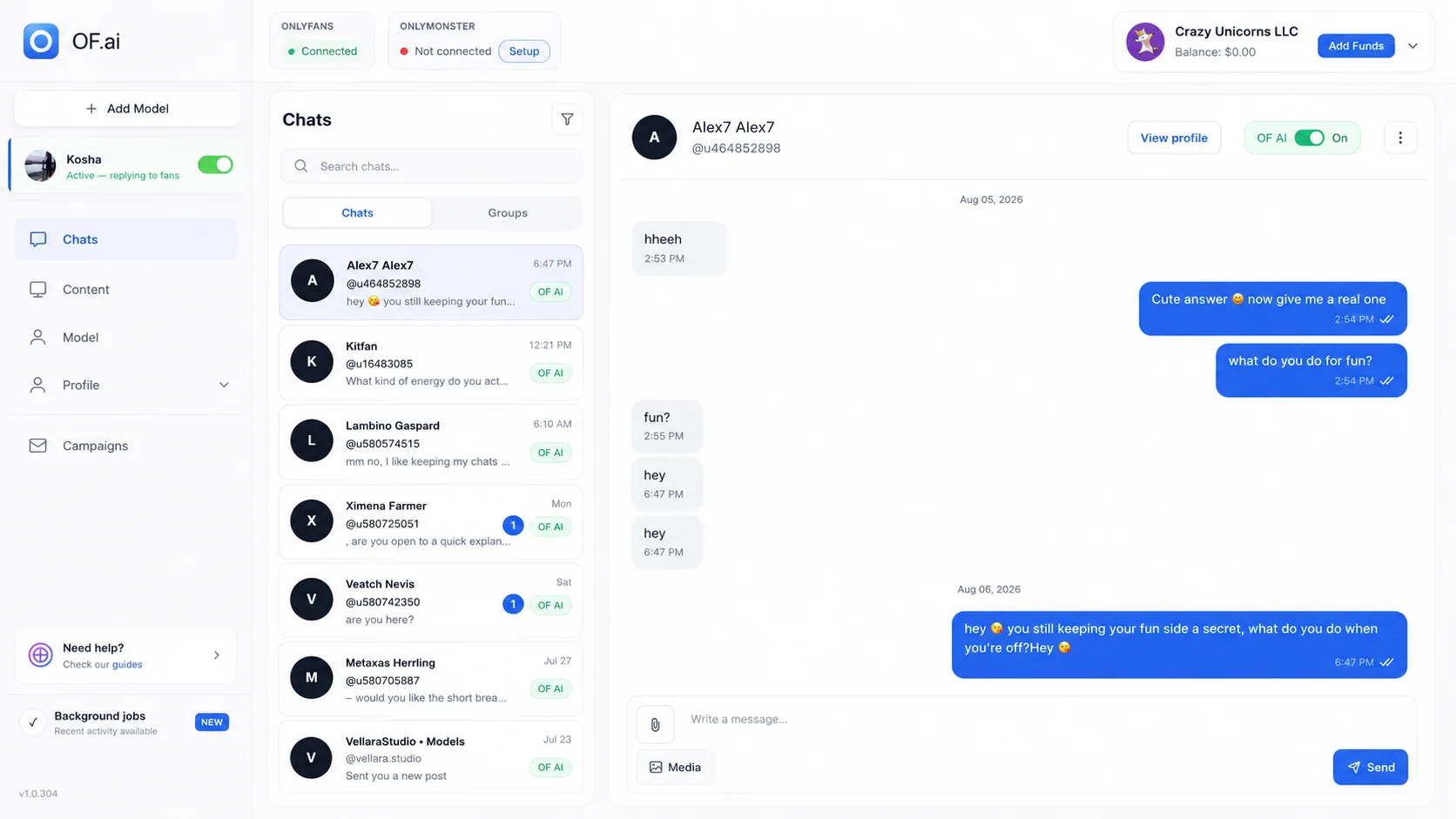
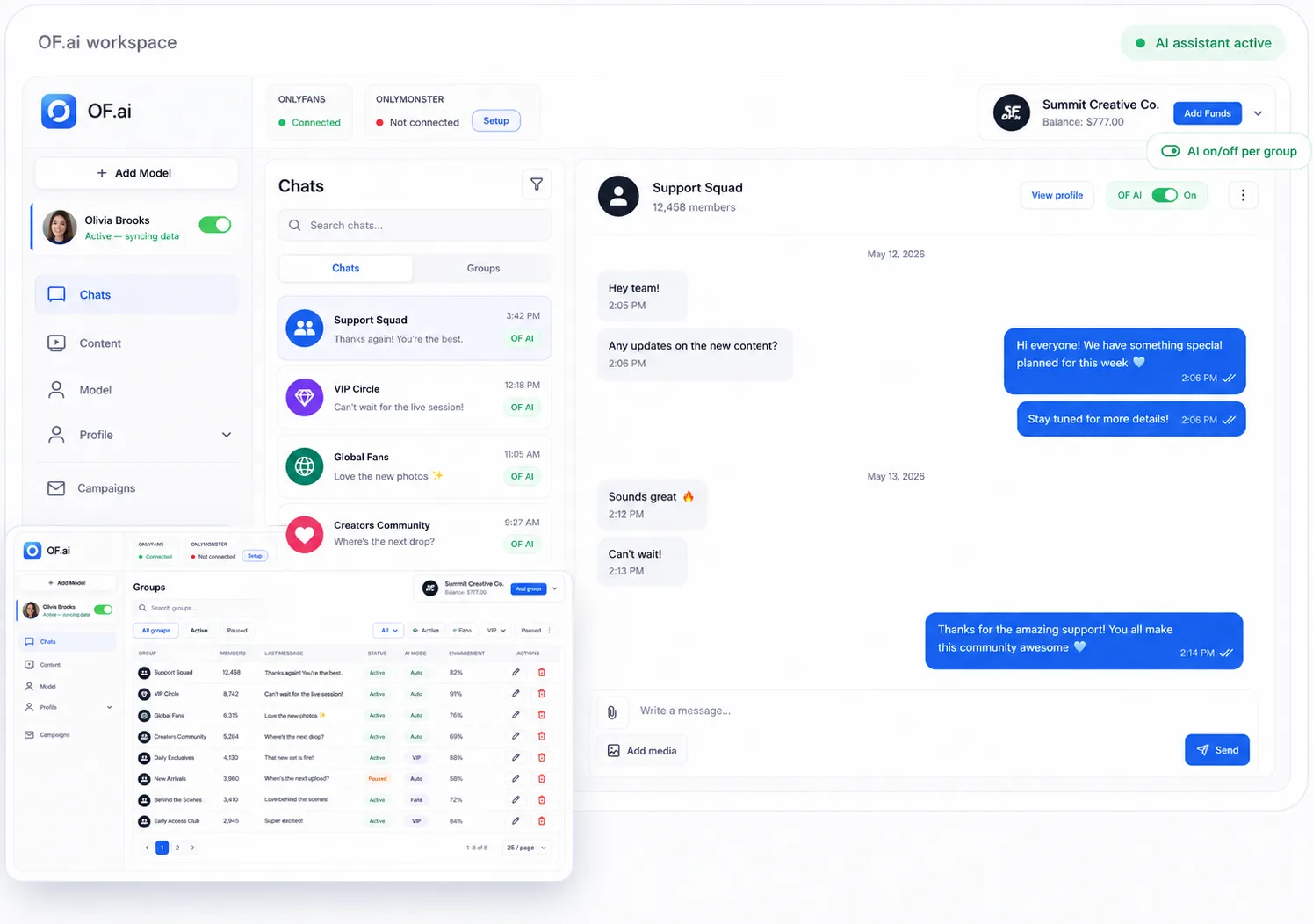
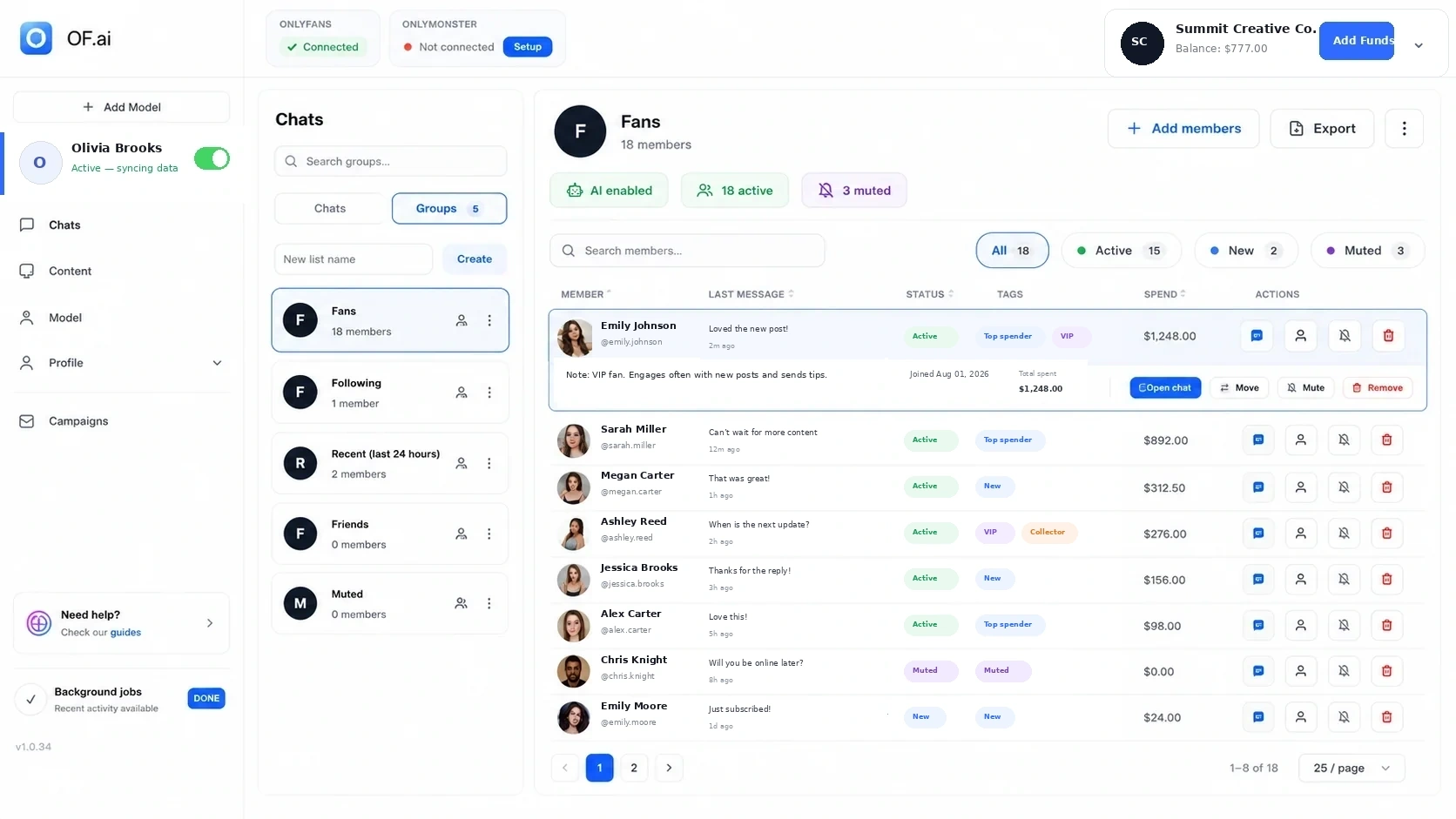
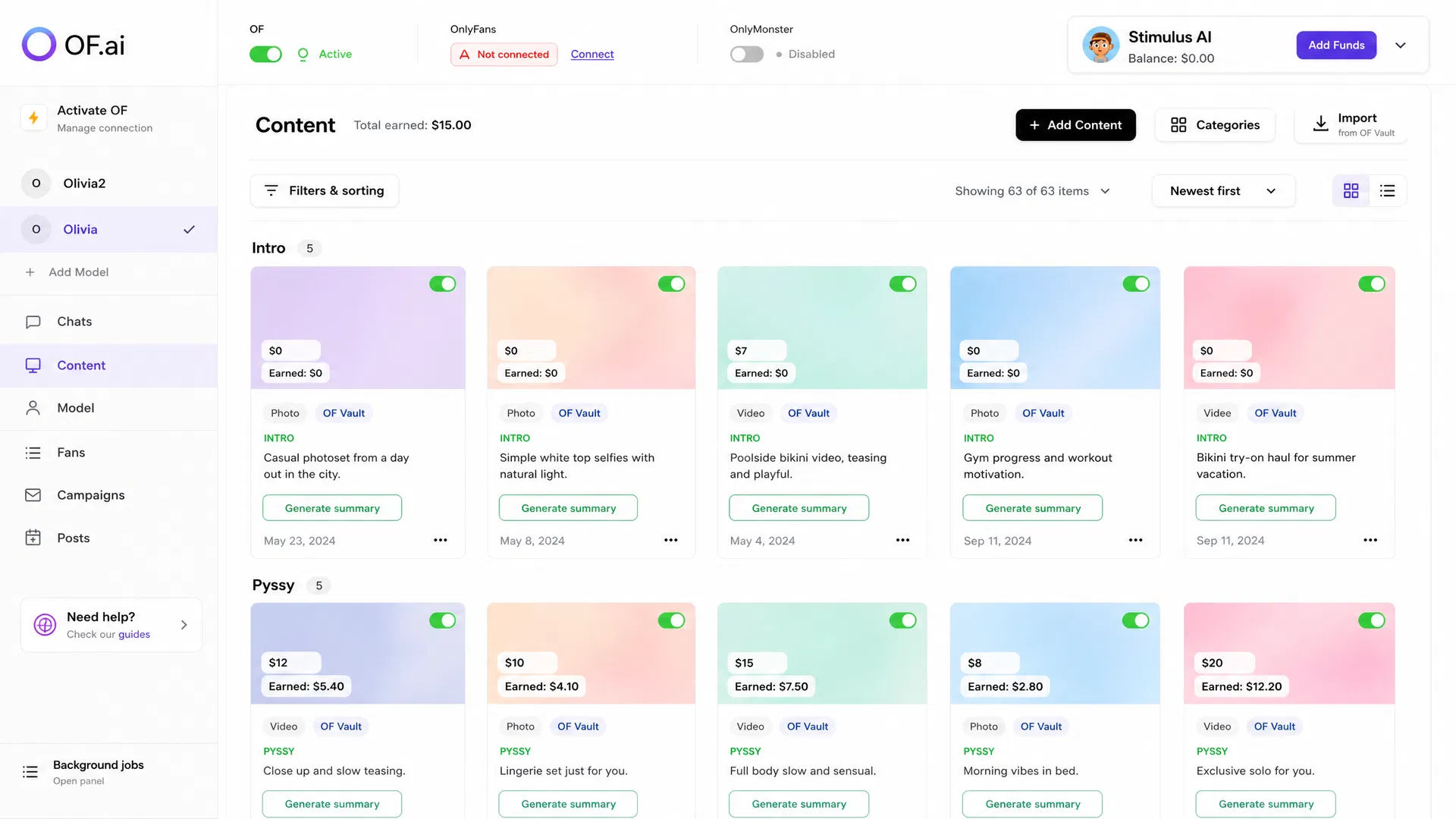
OF.ai is built around staged chat workflows with creator-specific configuration, fan context when available, approved content, configured offer inputs, multi-model operations, and human takeover. The product screens on this page show the current workspace, chat, fan-group, and content-library surfaces rather than a conceptual mockup.
That does not make OF.ai the universal winner for every stack. Use the same checklist against OF.ai and any alternative you consider, then test the workflow that matters to your business. Pricing and operating fit should be evaluated alongside quality and review workload before expanding beyond the pilot.
FAQ
What is the best OnlyFans chat automation tool?
There is no universal winner. The best fit is the tool that can run your actual creator workflow with inspectable context, approved content, review, human takeover, clear pricing, and acceptable correction or exception workload. Test it on one creator before expanding.
What should I test in an OnlyFans AI chatter demo?
Test continuity across several messages, missing context, approved content selection, offer inputs, unusual requests, manual takeover, corrections, and the handoff back to normal operation. A single polished reply is not enough evidence for a production workflow.
Can chat automation replace every human chatter?
Do not assume that. Define which stages are safe to automate and keep human ownership for sensitive, unusual, high-context, or otherwise judgement-heavy conversations. Measure the review and exception workload during the pilot.
Should the AI predict which fans will buy?
Treat observable history and stated preferences as context, not a guarantee of future behavior. If a vendor uses predictive labels, ask how they are validated and keep them separate from known facts in the workflow.
What matters most for an OnlyFans agency?
Model separation, creator-specific configuration, permissions, QA ownership, human takeover, handoffs, content controls, and account-level measurement become especially important when multiple people manage multiple creators.
How should I compare chat automation pricing?
Compare the complete operating cost: published software or service charges plus configuration, review, correction, integration, and exception-handling work. Use current vendor pricing and your own staffing baseline rather than copied figures from an old comparison article.
How many accounts should I test first?
One creator is usually a cleaner first pilot because it limits differences in audience, tone, content, and operating rules. Expand only after the team understands the failure modes and review requirements on that model.
Next step
Connect One Model and Run the Buyer Checklist
Connect one model, keep human review on, and test this workflow against your own baseline.